



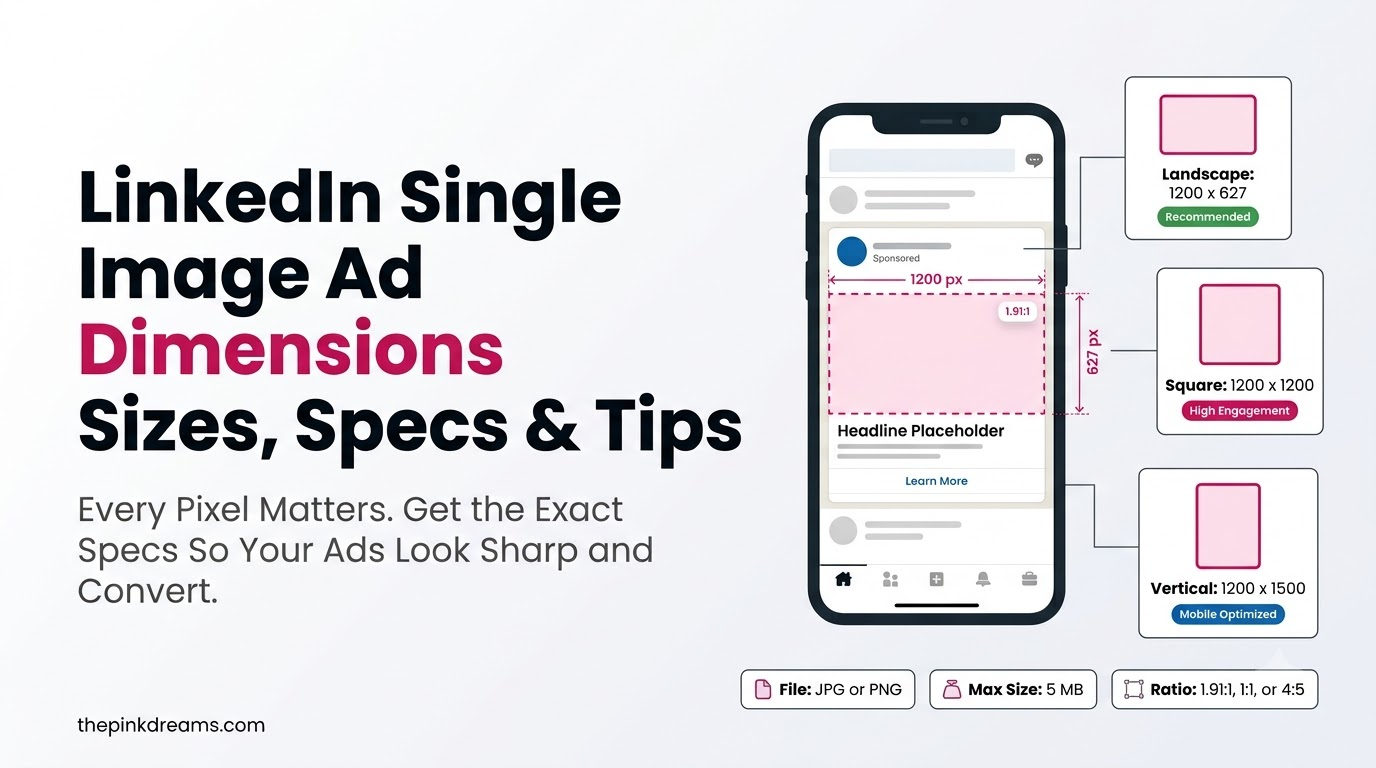
The exact sizes, specs, and design tips for LinkedIn’s most-used ad format.
You’ve written the copy, picked the audience, and you’re ready to launch, then Campaign Manager rejects your image for being the wrong size. It’s the most avoidable delay in LinkedIn advertising, and getting the linkedin single image ad dimensions right the first time skips it entirely. Single image ads are the platform’s most popular format, and a correctly sized, sharp creative renders cleanly across desktop and mobile instead of getting cropped or blurred. Whether you run campaigns in-house or with a LinkedIn Ads agency, this guide gives you the exact sizes, file specs, character limits, and design tips for 2026, so your ad goes live on the first upload.
Key Takeaways
- LinkedIn single image ads support three orientations: horizontal (1.91:1), square (1:1), and vertical (4:5, mobile only).
- Recommended sizes are 1200 x 628 (horizontal), 1200 x 1200 (square), and 720 x 900 (vertical).
- Files must be JPG, PNG, or GIF, up to 5 MB; PNG is best for text and logos.
- Square (1:1) is the safest all-round choice, since it renders well on both desktop and mobile.
- Copy limits: 70-character headline, 150-character intro text, and a 70-character description for LinkedIn Audience Network.
- Design for the mobile feed first, where most of your audience will actually see the ad.
What Are the LinkedIn Single Image Ad Dimensions?
LinkedIn single image ads come in three orientations, each with its own recommended linkedin single image ad size. Horizontal uses a 1.91:1 ratio at 1200 x 628 pixels, square uses 1:1 at 1200 x 1200 pixels, and vertical uses 4:5 at 720 x 900 pixels (delivered on mobile only). All three accept JPG, PNG, or GIF files up to 5 MB.
If you only build one creature, make it square. The 1:1 format displays cleanly on both desktop and mobile without cropping, which makes it the most versatile single asset. Horizontal is the classic feed look but takes up less vertical space on a phone, while vertical claims the most screen real estate on mobile but never appears on desktop.
| Three sizes cover every placement: 1200 x 628 horizontal, 1200 x 1200 square, and 720 x 900 vertical. Square is the safest single choice. |
LinkedIn Single Image Ad Specs 2026
Here are the complete linkedin single image ad specs 2026, straight from LinkedIn’s current requirements. Bookmark this table as your pre-upload checklist, matching each of these to avoid a rejected creative in Campaign Manager.
| Specification | Requirement |
| File types | JPG, PNG, or GIF (non-animated) |
| Maximum file size | 5 MB |
| Horizontal (1.91:1) | 1200 x 628 px — desktop and mobile |
| Square (1:1) | 1200 x 1200 px — desktop and mobile |
| Vertical (4:5) | 720 x 900 px — mobile only |
| Vertical (1:1.91) | 628 x 1200 px — mobile only (adds side borders) |
| Minimum size | 640 x 360 px (horizontal); 360 x 360 px (square) |
| Headline | 70 characters |
| Introductory text | 150 characters |
| Description (LAN only) | 70 characters |
| Ad name (optional) | 255 characters |
| Destination URL | Required; up to 2000 characters |
This is the full linkedin single image ads specification set for 2026. LinkedIn occasionally updates these, so if you’re launching a large campaign, it’s worth a quick check against Campaign Manager, or handing the build to a LinkedIn Ad agency that manages specs daily. Getting the creative right also protects your budget, since a clean, relevant ad improves your relevance score and, in turn, your LinkedIn Ads cost.
Quick Tip: The three numbers that decide whether your ad goes live are dimensions, file type, and file size. Get those right and the rest is copy.
Choosing the Right Orientation and Image Ad Size
The best linkedin image ad size depends on where your audience sees the ad and what you want the creative to do. Each orientation has a clear trade-off between reach, screen space, and desktop delivery.
Horizontal (1.91:1) — 1200 x 628 px
The classic, widely compatible choice. Horizontal images deliver to both desktop and mobile and render predictably everywhere, which makes them a safe default for link-style creatives. The downside is that they occupy the least vertical space in the mobile feed, so they can feel smaller on a phone than square or vertical.
Square (1:1) — 1200 x 1200 px
LinkedIn’s recommended all-rounder. Square renders without cropping on desktop and mobile and takes up more feed space than horizontal, giving your creative more presence. If you’re producing a single asset to run across every placement, this is the one to build.
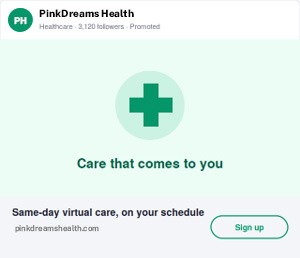
Vertical (4:5) — 720 x 900 px
The mobile attention-grabber. Vertical claims the most vertical space in the mobile feed and tends to earn strong click-through on phones, but it does not deliver to desktop at all. Use it when your audience skews mobile and you want maximum feed presence; pair it with a square version if you also need desktop coverage.
Quick Tip: Match orientation to placement: horizontal for broad compatibility, square for versatility, vertical for mobile-first impact.
File Format and Copy Tips for Single Image Ads
Meeting the specs gets your ad live; a few extra choices make it perform. These tips cover the file and copy decisions that separate a technically valid single image ad from one that actually earns clicks.
• Use PNG for text and logos. PNG’s lossless compression keeps overlaid text, logos, and flat colours crisp; JPG can add visible artifacts around hard edges.
• Export at 72 DPI. Screen resolution is all you need; higher DPI only inflates file size with no visible benefit.
• Keep text minimal. A clear focal point and short overlay beat a cluttered image, especially at mobile feed size.
• Front-load the headline. With 70 characters, lead with the value; the end can get truncated on some screens.
• Write intro text to about 150 characters. Stay within the visible limit so your hook isn’t cut off before the “see more.”
• Add a LAN description if using the Audience Network. The 70-character description is required to extend reach to partner apps and sites.
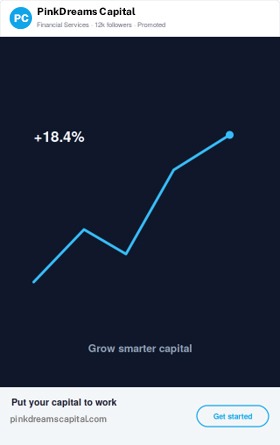
Pro Tip: Design for the mobile feed first: PNG for sharp text, one clear focal point, and a front-loaded headline within the character limits.
What a Strong LinkedIn Single Image Ad Example Looks Like
A high-performing linkedin single image ad example usually shares the same anatomy: a 1200 x 1200 square image, a single clear focal point, minimal on-image text, a recognisable brand mark, and a headline that states the value in plain language. The image earns the pause; the headline and CTA convert it.
Picture a B2B software ad: a clean square visual with one product screenshot or a bold stat, the logo tucked in a corner, intro text posing the reader’s problem, and a 70-character headline like “Cut reporting time in half, see how.” It respects every spec and still does its job, because the specs are the floor, not the finish line. If you want models to work from, a specialist team can share proven single image ads from comparable campaigns.
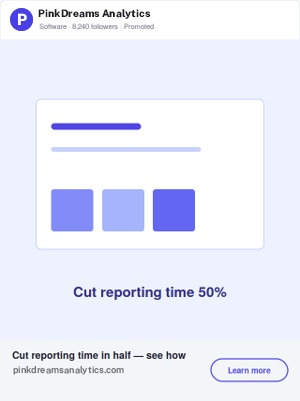
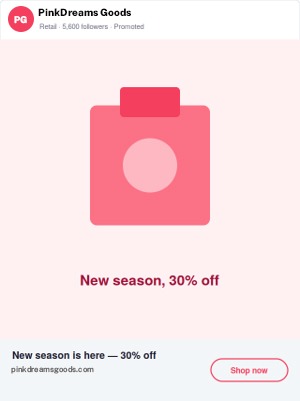
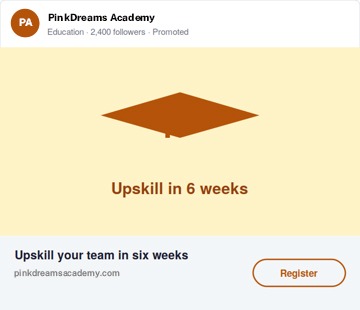
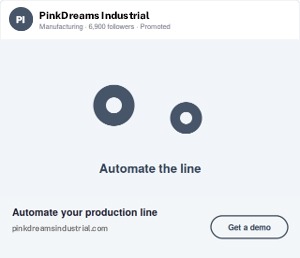
The same format across industries: square takes more feed height; horizontal is wider and shorter.
| Spec-compliant is the starting line, not the finish. A 1200 x 1200 PNG with a clean visual hierarchy will out-convert a technically valid but cluttered 1200 x 628 JPG most of the time. |
Pro Tip: The best examples pair correct specs with one clear focal point, a light touch of text, and a value-led headline.
How Single Image Fits Among LinkedIn Ad Sizes
Single image is one format in a wider set of linkedin ad sizes, and knowing the neighbours helps you choose the right tool. Carousel, video, and text ads each use different dimensions and suit different goals, but single image remains the most-used because it’s fast to produce and reliably effective.
| Format | Recommended size | Best for |
| Single image | 1200 x 1200 (1:1) | Awareness and lead gen; the versatile default |
| Carousel | 1080 x 1080 per card | Sequences, comparisons, product sets (2–10 cards) |
| Video | 1:1, 16:9, or 4:5 | Storytelling and demos; higher engagement |
| Text ad | 100 x 100 thumbnail | Cheap desktop right-rail reach on tight budgets |
For a deeper comparison across every placement, see our full guide to LinkedIn ad formats and specs. When you’re choosing between them, let the objective decide: single image for speed and versatility, carousel for sequence, video for depth.
Quick Tip: Single image is the versatile default among LinkedIn ad sizes; reach for carousel or video only when the story needs it.
Your Pre-Upload Spec Check
Before you hit upload, run your creative past this quick pre-flight. Each line maps to a common Campaign Manager rejection or a mobile rendering issue, clear all six and your single image ad should go live on the first try.
| Check | Pass condition |
| Dimensions | 1200 x 1200 (square), 1200 x 628 (horizontal), or 720 x 900 (vertical) |
| File type & size | JPG, PNG, or GIF, under 5 MB (PNG for text/logos) |
| Headline | 70 characters or fewer, value front-loaded |
| Intro text | About 150 characters so it isn’t truncated |
| Mobile preview | Focal point and text legible at phone-feed size |
| LAN description | Added (70 characters) if using the Audience Network |
The 15-Second Rule of Thumb
If you remember nothing else: build a 1200 x 1200 PNG under 5 MB, keep the headline under 70 characters, and preview it on a phone before you launch. That single habit prevents the large majority of rejected creatives and cropped, unreadable ads. Everything else in this guide simply refines a spec-correct ad into a high-performing one.
Specs are the easy part to get right and the easy part to get wrong, which is exactly why they cost so many teams a launch day. Nail them once, save this reference, and your creative time goes into the message instead of the measurements. If you’d rather hand the whole build, specs, creative, and testing, to a team that does it daily, Pink Dreams runs digital marketing and LinkedIn advertising across the US, the UK, Canada, Australia, and the UAE. Request a free campaign audit to see where your fastest wins are.
FAQ
What are the LinkedIn single image ad dimensions for 2026?
LinkedIn single image ads use three sizes: 1200 x 628 pixels for horizontal (1.91:1), 1200 x 1200 pixels for square (1:1), and 720 x 900 pixels for vertical (4:5, mobile only). All accept JPG, PNG, or GIF files up to 5 MB. Square is the recommended all-round choice because it renders cleanly on both desktop and mobile.
What is the best LinkedIn single image ad size?
For most campaigns, 1200 x 1200 pixels (square, 1:1) is the best single image ad size. It displays without cropping on desktop and mobile and takes up more feed space than horizontal, making it the most versatile single asset. If your audience is mobile-heavy, add a 720 x 900 vertical version for extra feed presence.
What file type and size does LinkedIn require for image ads?
LinkedIn accepts JPG, PNG, and non-animated GIF files up to 5 MB for single image ads. PNG is best for creatives with text overlays, logos, or flat colours because its lossless compression keeps edges sharp, while JPG suits photographic images. Export at 72 DPI, since higher resolution only adds file size.
What are the character limits for a LinkedIn single image ad?
A LinkedIn single image ad allows a 70-character headline, 150 characters of introductory text, and a 70-character description when using the LinkedIn Audience Network. The optional ad name allows 255 characters and the destination URL up to 2000. Front-load your headline, since the end can be truncated on some screens.
Do vertical LinkedIn image ads show on desktop?
No. Vertical single image ads (4:5 or 1:1.91) deliver on mobile only and do not appear on desktop. If your campaign targets desktop users too, use a horizontal (1.91:1) or square (1:1) creative, or run a square version alongside your vertical one to cover every placement.

Digital Marketing Strategist & Business Coach
As a leading digital marketing strategist and business coach, he is responsible for helping entrepreneurs and brands grow faster in a smarter, more scalable way. With over 20 years of experience, Nagarajan specializes in practical coaching, automation-first marketing strategies, and technology-driven growth systems. His work focuses on enhancing brand visibility, improving performance, and building sustainable frameworks that enable long-term business success.