




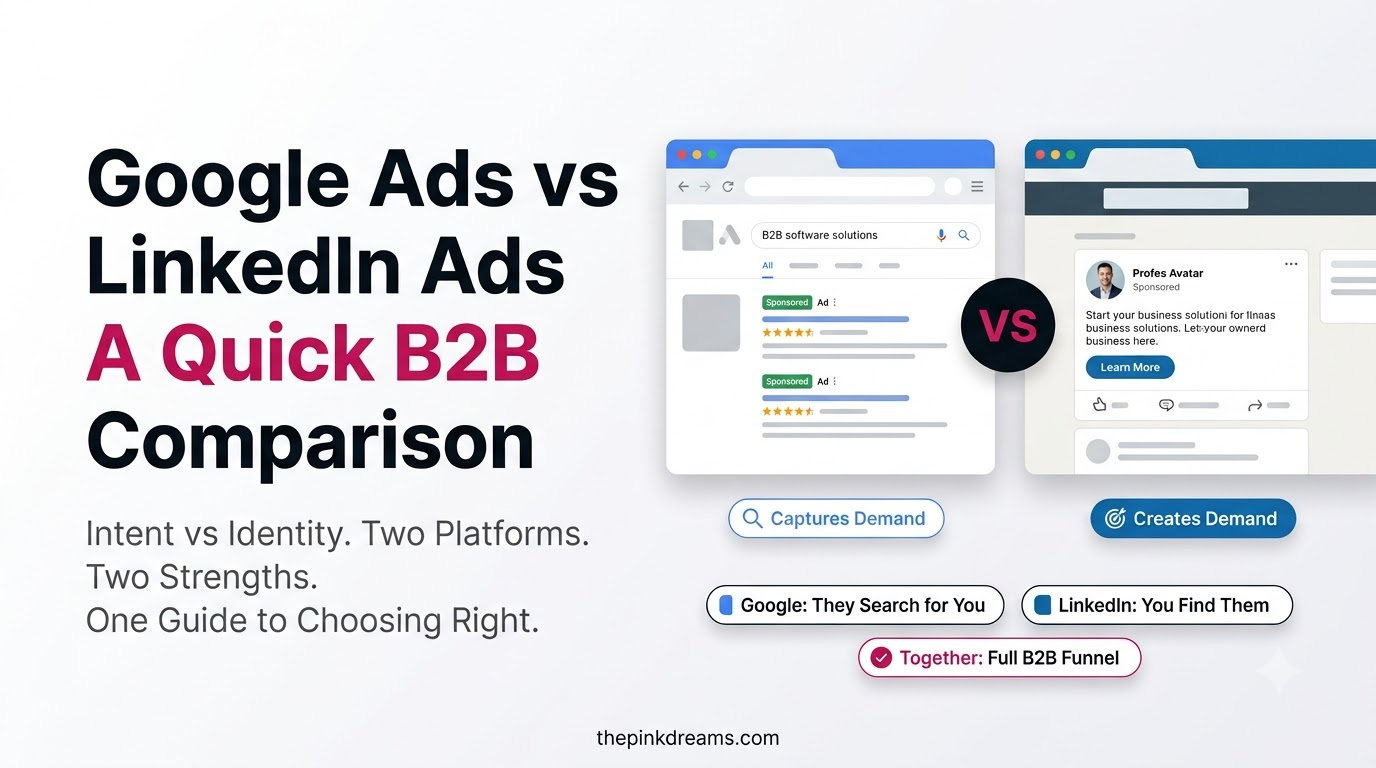
One reaches everyone searching right now. The other reaches the exact job title you need, and charges for the privilege.
Google Ads vs LinkedIn Ads comes down to intent versus precision. Google Ads captures high-intent searchers at a lower cost per click and huge scale, making it strong for demand capture. LinkedIn Ads targets people by job title, seniority, and company, at a much higher cost per click, making it strong for reaching B2B decision-makers. Most B2B advertisers see the strongest results when they use both platforms strategically.
Key Takeaways
- Google Ads captures existing demand; LinkedIn Ads creates and targets demand among specific roles.
- Google Ads has a far lower cost per click; LinkedIn Ads costs more but reaches decision-makers directly.
- For high-intent, ready-to-buy searches, Google Ads usually wins. For account-based B2B, LinkedIn wins.
- Judge both on cost per qualified lead and cost per closed deal, not cost per click.
- The strongest B2B advertising strategy runs Google for capture and LinkedIn for targeted awareness.
- Costs, competition, and privacy rules vary by region. Test locally before scaling either platform.
Google Ads vs LinkedIn Ads: The Core Difference
The core difference is how each platform finds your buyer. Google Ads reaches people by what they are searching for right now, capturing intent at the moment it appears. LinkedIn Ads reaches people by who they are professionally, targeting job title, seniority, industry, and company. One meets demand; the other targets an audience whether or not they are searching yet.
That distinction shapes everything else. Because Google captures active intent, its leads are often ready to buy but the audience is anyone searching, business or consumer. Because LinkedIn targets professional attributes, its audience is precisely the right people, but they may not be actively looking, so the message has to create interest. Both belong inside one wider paid media strategy rather than being chosen in isolation.
For B2B advertising, that maps onto two jobs. When someone searches “enterprise CRM software”, Google puts you in front of that live demand. When you want to reach every operations director at companies of a certain size, LinkedIn is the only major platform that can target them by role. This is why the linkedin ads vs google ads question rarely has a single winner: they solve different halves of the funnel.
Key Takeaway: Google Ads captures demand that already exists. LinkedIn Ads reach the exact people you want, before they search. Match the platform to which job you need done.
Audience and Targeting: Intent vs Professional Precision
Google Ads targets by keyword, location, device, interest, and remarketing audiences, reaching nearly every internet user. LinkedIn Ads targets by job title, seniority, company size, industry, function, and named account lists. Google reaches the widest possible audience by intent; LinkedIn reaches a narrower, professional audience by identity.
For B2B marketing, LinkedIn’s precision is the headline advantage. You can put an ad in front of only the decision-makers at only the companies you want to win, which no search platform can match. Its account-based targeting, where you upload a list of target companies and message roles inside them, is purpose-built for enterprise sales.
Google’s advantage is reach plus intent. Its audience includes everyone actively searching, and its Custom Intent and in-market audiences let you reach people showing buying signals. The trade-off is that a search for a business term can also come from a student, a job seeker, or a competitor, so qualification matters more.
Practical Example
A company selling enterprise software runs Google Ads on high-intent terms like “[category] software pricing” to capture buyers mid-search, and separately runs LinkedIn Ads targeting IT directors and CTOs at companies above a set headcount. One catches active demand; the other builds awareness with the exact decision-makers.
Key Takeaway: Google gives you intent at scale. LinkedIn gives you the precise professional audience. B2B buyers sit inside both, reaching two different ways.
Ad Formats and Creative: What Each Platform Offers
Google Ads offers more ad formats overall: search text ads, display banners, shopping ads, video on YouTube and partner sites, app promotion, and responsive ads. LinkedIn Ads offers fewer but more B2B-tailored formats: sponsored content, message and conversation ads, text ads, dynamic ads, and lead gen forms with pre-filled professional details.
The format difference reflects the mindset difference. Google’s search ads meet someone actively hunting for a solution, so the ad’s job is to match the query and win the click. LinkedIn’s formats meet someone in a professional context, so they lean on credibility, thought leadership, and low-friction lead capture.
LinkedIn’s lead gen forms deserve a mention for B2B lead generation specifically. Because they auto-fill from the member’s profile, they remove almost all friction, which lifts completion rates for gated content, webinars, and demo requests aimed at professional buyers.
Key Takeaway: Google’s formats capture searchers; LinkedIn’s formats engage professionals. Write for the mindset each format meets, not just the channel.
Cost and ROI: Cost Per Click vs Cost Per Qualified Lead
Google Ads has a substantially lower cost per click than LinkedIn Ads in nearly every market, and LinkedIn’s cost per click is among the highest in digital advertising. But cost per click is the wrong headline for B2B. What matters is cost per qualified lead and cost per closed deal, where LinkedIn’s higher click price can be justified by higher-quality, decision-maker leads.
Actual figures vary widely by country, industry, keyword, and competition, so treat any published benchmark as a starting reference rather than a rule. Costs in different currencies are not comparable without adjusting for local competition. The reliable pattern is directional: Google clicks are cheaper, LinkedIn clicks are pricier, and LinkedIn leads are often worth more per head in B2B.
How the Maths Actually Works
Picture two campaigns with equal budgets. Google produces a high volume of leads at a low cost per click, but some are unqualified or off-target. LinkedIn produces fewer, more expensive leads, but a higher share are real decision-makers at the right companies. For a high-value B2B deal, the pricier lead can be the cheaper customer once it closes.
| What you are measuring | Google Ads | LinkedIn Ads |
| Cost per click | Lower | Substantially higher |
| Audience basis | Search intent | Professional identity |
| Lead volume | High | Lower |
| Lead qualification | Mixed; needs filtering | Decision-maker heavy |
| Best for | Demand capture | Account-based B2B |
| Funnel stage | Bottom (active search) | Top and middle (awareness, consideration) |
| Sales cycle fit | Short to medium | Medium to long |
Common Mistake
Pausing LinkedIn after two weeks because the cost per lead looks high, before a single long-cycle B2B deal has had time to close. Enterprise purchases convert far more slowly than search-driven ones, and judging LinkedIn on a Google timeline guarantees the wrong verdict.
Key Takeaway: Track cost per qualified lead and cost per closed deal in your own currency. The cheaper click is not automatically the cheaper customer.
Lead Quality and Intent: Which Platform Delivers Better Leads?
Google Ads delivers high-intent leads because searchers are actively looking, but intent does not guarantee fit; some searchers are the wrong size, role, or even a competitor. LinkedIn Ads delivers high-fit leads because you choose the exact job titles and companies, but it does not guarantee intent, since they may not be searching yet. Neither is universally better.
The practical answer is that they suit different funnel stages. Google captures people at the bottom of the funnel, ready to act. LinkedIn reaches people at the top and middle, building awareness and consideration among the right accounts before they start searching. A complete B2B programme usually needs both.
Qualification bridges the gap on Google. Adding qualifying questions to forms, layering in-market audiences, and excluding irrelevant search terms all raise Google lead quality toward LinkedIn’s fit level. Follow-up speed then matters on both platforms, because a fast response converts dramatically better than a slow one.
Key Takeaway: Google gives you intent without guaranteed fit; LinkedIn gives you fit without guaranteed intent. Qualification and follow-up close the difference.
When to Use Google Ads vs LinkedIn Ads
Use Google Ads when your buyers are actively searching, your offer has clear search demand, or you need volume and speed at a lower cost. Use LinkedIn Ads when you sell to specific roles or industries, your deal value is high, or you need to reach decision-makers who are not yet searching. When you can, run both.
| Your situation | Lean toward | Why |
| Buyers actively searching now | Google Ads | Captures live intent at the moment of search |
| Selling to specific job titles | LinkedIn Ads | Targets roles and seniority no search platform can |
| Limited budget, need volume | Google Ads | Lower cost per click means faster learning |
| High-value enterprise deals | LinkedIn Ads | One deal justifies the higher cost per lead |
| Named target accounts | LinkedIn Ads | Account-based targeting reaches chosen companies |
| Strong search demand exists | Google Ads | Demand capture is cheaper than demand creation |
| Full-funnel B2B programme | Both | Google captures, LinkedIn builds awareness |
Key Takeaway: Match the platform to where your buyer is: Google for the ones searching now, LinkedIn for the ones you need to reach before they do.
Can You Use Google Ads and LinkedIn Ads Together?
Yes, and for most B2B advertisers a combined approach outperforms either alone. The standard structure is LinkedIn for top and middle funnel, building awareness with the right accounts, and Google for the bottom, capturing that demand when those same buyers start searching. Each platform covers the stage it is genuinely better at.
A practical sequence works like this. Use LinkedIn to build familiarity with your target accounts and decision-makers over time. When those warmed prospects later search for your category, Google Ads captures them at the moment of intent, and the click converts better because your name is already familiar. Awareness on one platform lifts conversion on the other.
Keep budgets, landing pages, and tracking separate so you can see which platform produced which outcome. Blending them hides the contribution of each and makes it impossible to reallocate the budget sensibly. Review each channel on its own cost per qualified lead every month.
Key Takeaway: Run them as a sequence, not duplicates. LinkedIn builds awareness with the right accounts; Google captures their demand when it turns into a search.
Google Ads vs LinkedIn Ads: How to Choose for Your B2B Strategy
Choosing between Google Ads and LinkedIn Ads for B2B depends on your goals, budget, and audience, and for most businesses the honest answer is not either-or. Start with the platform that matches your most urgent job, prove it on cost per qualified lead, and add the second once the first is profitable.
If you need to pipeline quickly and your category has real search demand, Google Ads is usually the faster starting point, because capturing existing intent is cheaper than creating it. If your value is in reaching specific decision-makers at named accounts, LinkedIn earns its higher cost by putting you in front of exactly the right people.
Whichever you start with, set conversion tracking first, judge the platform on qualified leads and closed deals rather than clicks, and expand to the second platform once the first is working. The strongest B2B advertisers treat the two as partners in one funnel, not rivals.
Quick Recap
Google Ads captures active search intent cheaply and at scale, making it the natural home for demand capture. LinkedIn Ads targets decision-makers by role at a higher cost per click, making it the right tool for account-based B2B. Measure both on cost per qualified lead and cost per closed deal, run Google for the bottom of the funnel and LinkedIn for the top and middle, and localise cost, language, and consent settings for each region you serve.
Action Checklist
• Set up conversion tracking for forms and closed deals before spending anything
• Decide whether demand capture or account-based reach is your priority for the next 90 days
• Start with the platform that matches that priority, funded properly rather than split thin
• Add qualifying questions to Google lead forms to raise lead quality
• Use LinkedIn account-based targeting for named enterprise accounts
• Build a dedicated landing page for each platform with matching messaging
• Give each platform separate budgets, tracking, and monthly review
• Check consent and privacy requirements before uploading any list
• Judge results on cost per qualified lead and cost per closed deal, not clicks
• Only add the second platform after the first is delivering profitable results
Next Steps
Pick the platform that matches your most urgent goal, set up conversion tracking, and run a single structured campaign for a full cycle. Judge it on qualified leads and closed deals, not clicks, then add the second platform once the first is profitable. Treat the two as one funnel rather than a contest.
And if you would rather leave it to the experts, Pink Dreams can help. As a LinkedIn Ads agency and Google Ads agency working with businesses across the US, the UK, Canada, Australia, and the UAE, we build, target, and continuously test both platforms, connecting every click to closed deals through structured B2B lead generation. Request a free paid media audit to see which platform your budget should be on.
FAQ
Which is better for B2B, Google Ads or LinkedIn Ads?
It depends on the goal. Google Ads is better for capturing buyers who are actively searching, at a lower cost per click. LinkedIn Ads is better for reaching specific decision-makers by job title and company, which suits account-based B2B. Most B2B advertisers get the strongest results by running both across different funnel stages.
Why is LinkedIn Ads so much more expensive than Google Ads?
LinkedIn’s cost per click is higher because you are paying for precise access to professional decision-makers rather than for broad search reach. That premium can be worth it when a single B2B deal is valuable, since a pricier lead that reaches the right person can still be the cheaper customer once it closes.
What is the difference between Google Ads and LinkedIn Ads targeting?
Google Ads targets by search keyword, location, device, and interest, reaching people by what they are looking for. LinkedIn Ads targets by job title, seniority, company size, industry, and named accounts, reaching people by who they are professionally. Google captures intent; LinkedIn targets identity.
How much should a B2B business budget for paid ads?
It varies widely by market, industry, and competition, so treat any figure as a starting point rather than a rule. Start with an amount you can sustain for at least three months, since early data drives optimization. Fund one platform properly rather than splitting a small budget thinly across two.
Can I run Google Ads and LinkedIn Ads at the same time?
Yes, and it often works best. The usual structure is LinkedIn for top-and-middle-funnel awareness among target accounts and Google for bottom-funnel demand capture when those buyers search. Keep budgets, landing pages, and tracking separate so you can see clearly which platform produced which qualified lead.

Digital Marketing Strategist & Business Coach
As a leading digital marketing strategist and business coach, he is responsible for helping entrepreneurs and brands grow faster in a smarter, more scalable way. With over 20 years of experience, Nagarajan specializes in practical coaching, automation-first marketing strategies, and technology-driven growth systems. His work focuses on enhancing brand visibility, improving performance, and building sustainable frameworks that enable long-term business success.