




What a LinkedIn Ads connector does, the best tools in 2026, and how to set one up in minutes.
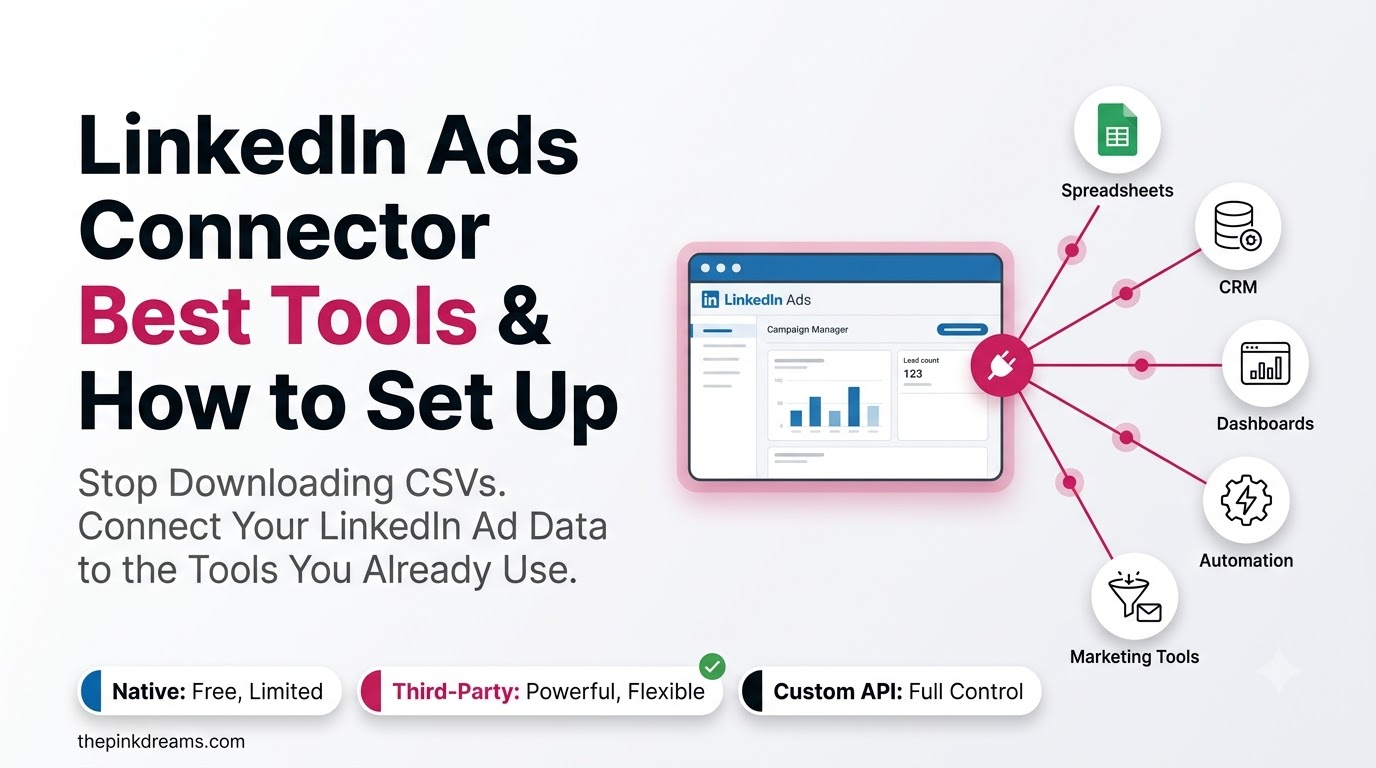
Your LinkedIn campaign data is stuck inside Campaign Manager, while your reports, your CRM, and your AI tools live somewhere else. A linkedin ads connector is what bridges that gap, automatically syncing your ad spend, impressions, clicks, and conversions into the dashboards, warehouses, and CRMs where you actually make decisions. No more CSV exports, no more copy-paste. This guide explains what a connector does, compares the best tools in 2026, and walks through setup. Whether you run campaigns in-house or with a LinkedIn Ads agency, the right connector turns scattered data into one clear view of performance.
Key Takeaways
- A LinkedIn Ads connector automatically pipes your campaign data into reporting tools, warehouses, or a CRM.
- It replaces manual CSV exports with scheduled, always-current syncs, in minutes, no code.
- Reporting connectors (Supermetrics, Windsor.ai) push data to BI tools and warehouses.
- CRM and attribution connectors (Salesforce, ZenABM, Dreamdata) tie ad engagement to pipeline and revenue.
- Newer tools add a LinkedIn Ads connector & MCP layer, so you can query campaign data in plain English inside Claude or ChatGPT.
- Pick by destination: where does your LinkedIn data need to land, a dashboard, a warehouse, or your CRM?
The Best LinkedIn Ads Connectors in 2026
Here are the leading LinkedIn Ads connectors, grouped by what they’re best at. There’s no single “best” tool, only the best fit for where your data needs to land.
Supermetrics – best for cross-channel reporting
Supermetrics is the established market leader for marketing data connectors. It pulls detailed LinkedIn Ads data, spend, impressions, clicks, conversions, and blends it with Google, Meta, TikTok and 100+ other sources, then pushes it to Looker Studio, BigQuery, Snowflake, Power BI, Sheets, or Excel. It also offers an MCP integration with write access, so you can query and even act on campaigns from inside Claude. Best if you want mature, reliable cross-channel reporting to power your LinkedIn Ads reporting.
Windsor.ai – best for value and native MCP
Windsor.ai is the transparent, flat-rate challenger, with 325+ connectors and all destinations included on every plan (even BigQuery and Snowflake). It sets up in minutes with no code and offers native MCP for Claude and ChatGPT, letting you ask questions of your LinkedIn data in plain English. It also includes multi-touch attribution. Best if you want broad coverage and predictable pricing without per-destination add-ons.
Salesforce Data 360 – best for native CRM ingestion
If you live in Salesforce, its native LinkedIn Ads Connector ingests structured ad data directly into Data 360, now generally available for batch ingestion and in beta for Zero Copy query federation. It’s the cleanest path to unify LinkedIn engagement with your existing Salesforce records without a third-party bridge.
ZenABM, Dreamdata & HockeyStack – best for CRM attribution
For B2B teams focused on revenue, ABM and attribution platforms connect LinkedIn Ads to CRM engagement. ZenABM captures company-level engagement with two-way CRM sync; Dreamdata and HockeyStack tie LinkedIn spend to pipeline through multi-touch attribution. These answer the question reporting tools can’t: which campaigns actually drove deals.
6sense & LeadsRx – best within a wider stack
6sense folds LinkedIn Ads into its predictive ABM ecosystem, strong if you already run 6sense for intent and account identification. LeadsRx offers pixel-based attribution that bridges LinkedIn with offline channels, though modern API-based connectors give deeper account-level LinkedIn data. Both are best as part of a larger platform rather than a standalone connector.
Key Takeaway: Supermetrics and Windsor.ai lead for reporting; Salesforce, ZenABM, and Dreamdata lead for CRM and attribution. Match the tool to your destination.
LinkedIn Ads Connector & MCP: Querying Data in Plain English
The newest shift is the linkedin ads connector & MCP pairing. MCP (Model Context Protocol) lets tools like Windsor.ai and Supermetrics feed your live LinkedIn Ads data straight into AI assistants such as Claude and ChatGPT, so you can ask “Which campaign had the best cost per lead last month?” and get an answer pulled from your actual account, no dashboard required.
This matters because it collapses the gap between data and decision. Instead of building a report, then interpreting it, you converse with your data directly. Supermetrics goes a step further with write access, letting you pause a campaign or shift budget from the same chat. For fast, exploratory analysis, an MCP-enabled connector is the most efficient option available in 2026.
| An MCP connector turns your LinkedIn Ads account into something you can simply ask questions of, in plain English, inside your AI assistant. |
Key Takeaway: MCP-enabled connectors let you query live LinkedIn Ads data conversationally in Claude or ChatGPT, the fastest route from data to decision.
How to Set Up a LinkedIn Ads Connector
Most connectors follow the same simple, no-code setup. You can usually have LinkedIn data flowing to your destination in a few minutes:
1. Choose your tool by destination. Decide where the data needs to land, a BI dashboard, a warehouse, your CRM, or an AI assistant, and pick a connector that supports it.
2. Authenticate your LinkedIn Ads account. Sign in and grant the connector permission to read your ad data via LinkedIn’s Ads API. This is a one-time OAuth step.
3. Select your metrics and dimensions. Choose the fields you need, spend, impressions, clicks, conversions, campaign names, and any date range.
4. Pick your destination. Point the connector at Looker Studio, Sheets, BigQuery, Power BI, your CRM, or your AI tool.
5. Schedule automatic refreshes. Set a sync cadence, daily or hourly, so your reports stay current without you touching them again.
That’s it. From there the connector runs on its own. If you’d rather not manage the setup and field mapping yourself, a LinkedIn advertising agency can configure it and build the reporting on top.
Key Takeaway: Setup is five no-code steps: choose by destination, authenticate, pick fields, pick destination, and schedule the sync.
Which LinkedIn Ads Connector Should You Choose?
Not every LinkedIn Ads connector integration does the same job. They fall into three broad types, and the right one depends on where your data needs to go and what question you’re trying to answer.
| Connector Type | What it does | Best for |
| Reporting / BI | Syncs ad metrics into dashboards, sheets, and warehouses | Consolidated cross-channel reporting |
| CRM / attribution | Ties ad engagement to leads, deals, and revenue | Proving pipeline impact and ROI |
| AI / MCP | Lets you query live campaign data in natural language | Fast, conversational analysis in Claude or ChatGPT |
Many teams end up using more than one, a reporting connector for dashboards and a CRM connector for attribution. A specialist LinkedIn Ad agency can help you decide which combination fits your stack rather than paying for overlap.
The right connector comes down to one question: where does your LinkedIn data need to go? Match your main goal to the pick below and you’ll skip the tool-comparison rabbit hole.
| If your main goal is… | Choose this type | Strong picks |
| Cross-channel dashboards | Reporting / BI | Supermetrics, Windsor.ai |
| Predictable, low pricing | Reporting / BI | Windsor.ai |
| Native CRM ingestion | CRM connector | Salesforce Data 360 |
| Proving pipeline & revenue | CRM / attribution | ZenABM, Dreamdata, HockeyStack |
| Conversational analysis | AI / MCP | Windsor.ai, Supermetrics |
The Bottom Line
A LinkedIn Ads connector is no longer a nice-to-have, it’s how you stop judging campaigns on surface metrics and start seeing their real impact on pipeline and revenue. Reporting tools like Supermetrics and Windsor.ai win for dashboards and warehouses; CRM and attribution tools like Salesforce, ZenABM, and Dreamdata win for tying spend to deals; and the new MCP layer lets you simply ask your data questions. Start from where your data needs to land, and the choice makes itself.
Want the connector set up and the reporting built for you? Pink Dreams runs digital marketing and LinkedIn advertising across the US, the UK, Canada, Australia, and the UAE, integrations, dashboards, and campaigns connected to the pipeline. Request a free consultation to see where your fastest wins are.
FAQ
What is a LinkedIn Ads connector?
A LinkedIn Ads connector is a tool that automatically pulls data from your LinkedIn Ads account through LinkedIn’s Ads API and sends it to another system, a reporting dashboard, data warehouse, spreadsheet, or CRM. It replaces manual CSV exports with scheduled, always-current syncs, so your LinkedIn data stays up to date wherever you need it.
What is the best LinkedIn Ads connector?
It depends on your destination. Supermetrics and Windsor.ai are the best for cross-channel reporting and BI, Salesforce Data 360 for native CRM ingestion, and ZenABM, Dreamdata, or HockeyStack for tying LinkedIn spend to pipeline and revenue. There’s no single best tool, only the best fit for where your data needs to go.
What is a LinkedIn Ads connector and MCP integration?
An MCP (Model Context Protocol) integration lets a connector feed your live LinkedIn Ads data into AI assistants like Claude or ChatGPT. Tools such as Windsor.ai and Supermetrics support it, so you can ask plain-English questions, like which campaign had the lowest cost per lead, and get answers pulled straight from your account.
How do I connect LinkedIn Ads to my CRM?
Use a CRM or attribution connector. Salesforce offers a native LinkedIn Ads connector for Data 360, while ZenABM and Dreamdata sync LinkedIn engagement with CRMs like Salesforce and HubSpot. After a one-time authentication, they map ad engagement to leads and deals so you can attribute pipeline to specific campaigns.
How long does it take to set up a LinkedIn Ads connector?
For most connectors, just a few minutes. The process is no-code: authenticate your LinkedIn Ads account, choose your metrics and date range, select your destination, and set a refresh schedule. After that, the connector syncs automatically, so your reports stay current without further manual work.

Digital Marketing Strategist & Business Coach
As a leading digital marketing strategist and business coach, he is responsible for helping entrepreneurs and brands grow faster in a smarter, more scalable way. With over 20 years of experience, Nagarajan specializes in practical coaching, automation-first marketing strategies, and technology-driven growth systems. His work focuses on enhancing brand visibility, improving performance, and building sustainable frameworks that enable long-term business success.