Introduction
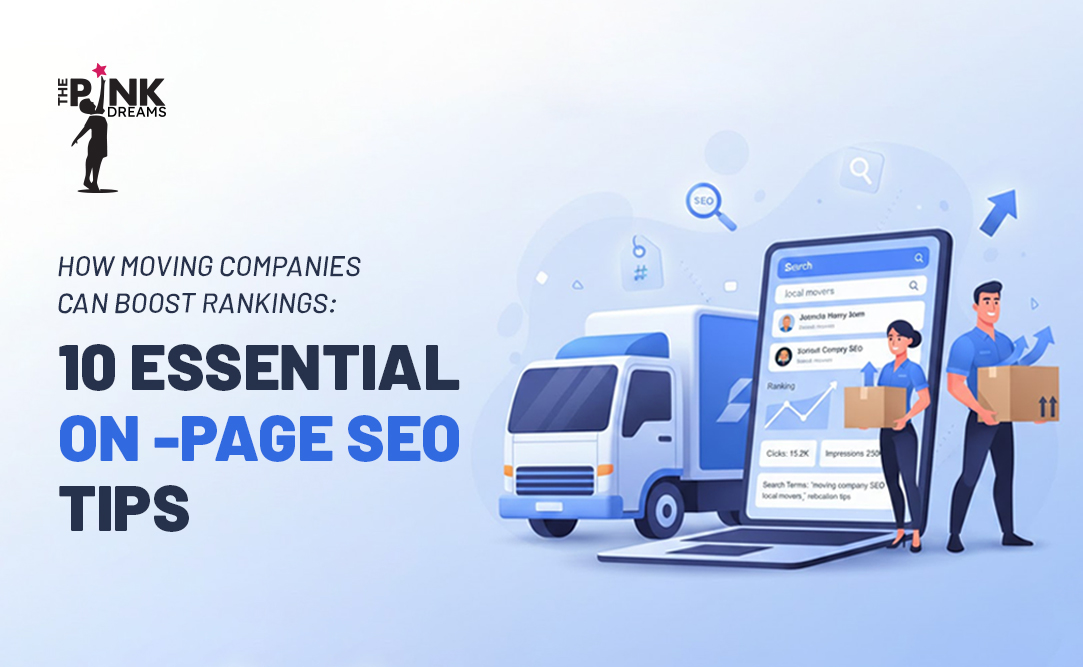
If you want your moving company to rank higher on Google and attract more local customers, mastering on-page SEO for moving companies is one of the smartest investments you can make. On-page SEO refers to the optimizations you make directly on your website to help search engines understand your content, rank your pages, and connect you with people searching for moving services in your area.
With over 16,000 moving companies operating in the United States and competition for local search visibility growing every year, simply having a website is no longer enough. Your website needs to be strategically optimized so that Google knows exactly what services you offer, where you operate, and why your business deserves to rank above the competition.
This guide breaks down 10 essential on-page SEO tips specifically tailored for moving companies. Each tip includes a clear explanation, why it matters for your business, and practical examples so you can start implementing changes today.
What Is On-Page SEO and Why It Matters for Movers
On-page SEO is simply the practice of optimizing what is on your website so Google can understand your pages and rank them higher. This includes your page titles, content, images, URLs, and technical elements like speed and mobile design. Unlike off-page SEO (reviews, backlinks, citations), on-page SEO is 100% in your control, which makes it the best place to start improving your rankings.
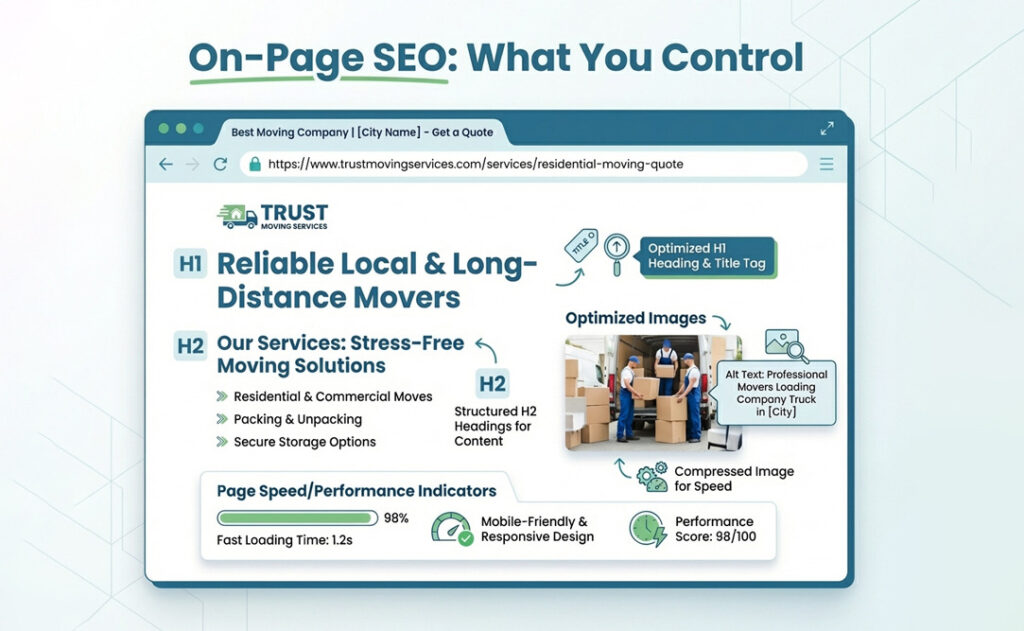
For moving companies, on-page SEO matters because it directly impacts whether your site shows up when someone in your city searches for movers. It drives free organic traffic (about 53% of all web traffic), attracts customers who are ready to hire, and creates a better experience that turns visitors into leads. In short: better on-page SEO means more visibility, more traffic, and more booked moves.
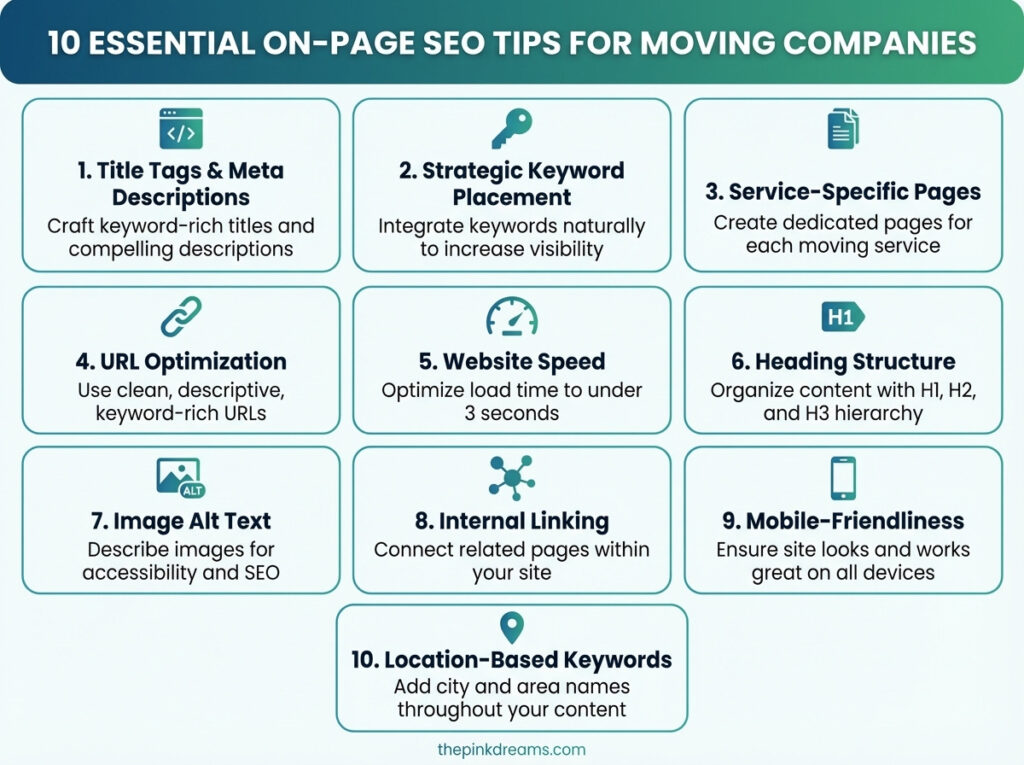
10 Essential On-Page SEO Tips for Moving Companies
1. Optimize Title Tags and Meta Descriptions
Your title tag is the blue clickable headline people see in Google search results. Your meta description is the two-line summary that appears right below it. Together, they are the very first thing a potential customer reads about your business before deciding whether to click.
Title tags are one of Google’s strongest ranking signals. This means Google looks at your title tag to understand what your page is about and whether it matches what someone is searching for. If your title says something generic like “Home” or “Welcome to Our Site,” Google has no idea that you offer moving services in Dallas, and it will not rank you for that search.
Your meta description does not directly affect rankings, but it heavily influences click-through rates. A compelling description with a clear benefit and a call-to-action can be the difference between someone clicking your listing versus your competitor’s.
What to do: Write a unique title tag for every page on your site. Keep it under 60 characters so it does not get cut off in search results. Include your primary keyword and your city. For your meta description, write 150-160 characters that highlight what makes you different and include a call-to-action.
Before: “Home – ABC Moving”
After: “Affordable Moving Company in Dallas, TX | ABC Moving Services”
Meta description example: “Trusted residential and commercial movers in Dallas. Licensed, insured, 5-star rated. Get your free moving quote today.”
2. Use Target Keywords Strategically
Keywords are the words and phrases people type into Google when they are looking for a service. For moving companies, these might be “movers in Houston,” “best moving company near me,” or “affordable long-distance movers.” Your job is to figure out which keywords your customers use and then place those keywords in the right spots on your website.
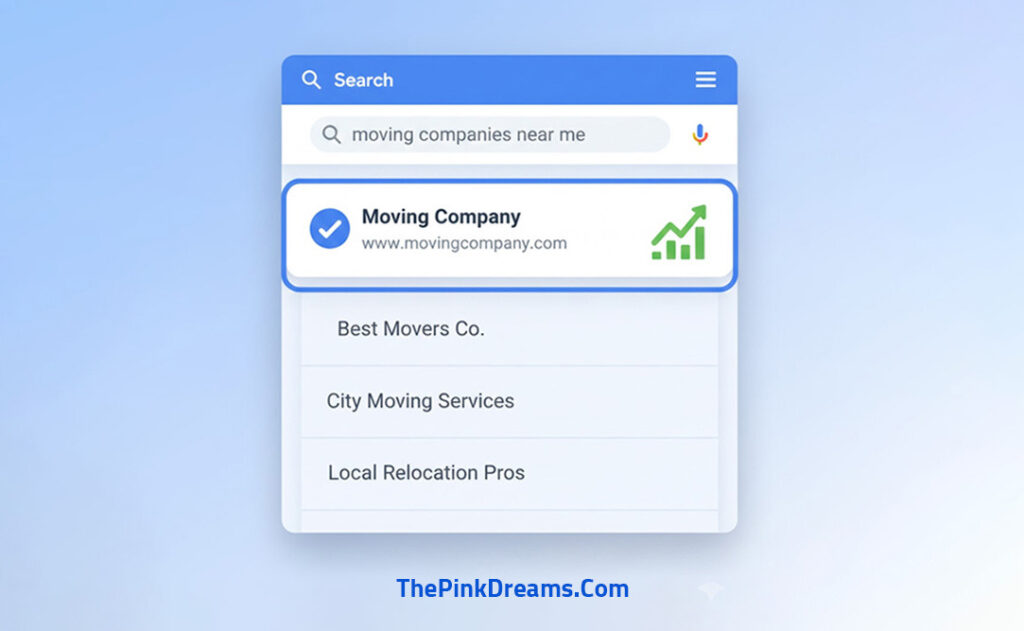
Google reads specific locations on your page more carefully than others. The most important places to include your target keyword are your title tag, your H1 heading (the main headline on the page), the first 100 words of your content, at least one or two subheadings, throughout the body text, and in your image alt text.
The most important thing to remember is that your content must still read naturally. If you cram the same keyword into every sentence, Google will flag it as keyword stuffing, which can hurt your rankings instead of helping them. A good rule of thumb is to keep keyword density between 1% and 2%. That means if your page has 500 words, your main keyword should appear roughly 5 to 10 times.
What to do: Pick one primary keyword per page. Place it in your title tag, H1, first paragraph, one subheading, and naturally throughout your content. Use variations and related phrases (“Houston movers,” “moving services in Houston,” “Houston moving company”) to keep the language natural.
3. Create Service-Specific Content Pages
Many moving companies make the mistake of listing all their services on a single “Services” page. While this seems efficient, it limits your ability to rank on Google. Here is why: when someone searches for “commercial movers in Dallas,” Google is looking for a page that is specifically about commercial moving in Dallas. A generic page that briefly mentions commercial moving alongside five other services does not match that search intent as strongly as a dedicated page would.
By creating separate pages for each service you offer, you give Google a clear, focused page to match with each type of search. A dedicated residential moving page can rank for “residential movers [city].” A separate commercial moving page can rank for “office movers [city].” A packing services page can rank for “packing services [city].” Each page becomes its own ranking opportunity.
What to do: Create individual pages for each core service: residential moving, commercial/office moving, long-distance moving, packing and unpacking, storage solutions, specialty item moving (piano, antiques, etc.), and any other services you offer. Each page should have at least 500 words of unique content, its own title tag, and a clear call-to-action.
URL examples: yoursite.com/residential-moving-dallas, yoursite.com/commercial-movers-dallas, yoursite.com/long-distance-movers-texas
4. Optimize Your URLs
Your page URL (the web address that appears in the browser bar) is another signal Google uses to understand what your page is about. A clean, descriptive URL tells both Google and your visitors what to expect before they even see the page content.
Many websites use auto-generated URLs that look like “yoursite.com/page?id=4827” or “yoursite.com/services-2-copy.” These URLs give Google zero information about the page topic and look unprofessional to visitors. A clean URL like “yoursite.com/residential-movers-chicago” immediately communicates the page topic and includes a keyword.
What to do: Keep URLs short (3-5 words after your domain name). Use hyphens to separate words (never underscores or spaces). Include your target keyword. Use all lowercase letters. Avoid numbers, dates, or random characters. If you are changing existing URLs, set up 301 redirects from the old URLs to the new ones so you do not lose any existing ranking value.
Before: yoursite.com/page?id=1234
After: yoursite.com/residential-movers-chicago
5. Improve Website Speed
Website speed is how quickly your pages load when someone visits your site. This might seem like a small detail, but it has a massive impact on both your Google rankings and your ability to convert visitors into leads.
Google has confirmed that page speed is a ranking factor. Slower websites rank lower than faster ones, all else being equal. But the bigger impact is on your visitors: research shows that 53% of mobile users will abandon a website if it takes more than 3 seconds to load. Even more striking, a page that loads in 1 second converts visitors at nearly 40%, while a page that takes 5 seconds to load sees dramatically lower conversion rates. For a moving company, this means a slow website is literally costing you booked jobs.
What to do: Test your current speed at Google PageSpeed Insights (pagespeed.web.dev). Aim for a score of 90 or above. The most common fixes include: compressing your images (large photos of trucks and moves are often the biggest culprit), enabling browser caching so returning visitors load pages faster, minimizing JavaScript and CSS files that slow down rendering, using a Content Delivery Network (CDN) to serve files from servers closest to your visitors, and upgrading to a faster hosting provider if your current one is slow.
6. Use Proper Heading Structure (H1, H2, H3)
Heading tags are the titles and subtitles on your web pages. They range from H1 (the largest, most important) down to H6 (the smallest). Google uses these headings to understand the structure and main topics of your page, like how a reader would scan a table of contents to understand what a book covers.
Your H1 is the main title of the page. It should clearly state what the page is about and include your primary keyword. Think of it as the answer to the question: “What is this page about?” Your H2 headings break the page into major sections, and H3 headings break those sections into subsections. This hierarchy helps Google understand the relationship between topics on your page.
A common mistake is using multiple H1 tags on a single page. Each page should have exactly one H1. Another mistake is using heading tags purely for visual styling (making text bigger or bolder) without considering the content hierarchy. Headings should reflect the actual structure of your content.
What to do: Use exactly one H1 per page that includes your target keyword and clearly describes the page topic. Use H2 tags for major sections. Use H3 tags for subsections within H2s. Make sure your headings follow a logical order and give both Google and readers a clear understanding of your page structure.
Example for a residential moving page: H1: “Professional Residential Movers in Chicago, IL.” H2: “Our Residential Moving Services.” H3: “Local Apartment Moving.” H3: “House Moving Services.” H2: “Service Areas in Chicago.” H2: “Why Choose Us for Your Move.”
7. Optimize Images with Alt Text
Every image on your website should have alt text (alternative text). Alt text is a short description that you add to an image in your website’s code. It serves three important purposes: it tells Google what the image shows (since search engines cannot “see” photos the way humans can), it displays as text if the image fails to load, and it is read aloud by screen readers for visitors with visual impairments.
For moving companies, images are a powerful trust builder. Photos of your team, your trucks, and completed moves reassure potential customers that you are a real, professional operation. But without alt text, Google cannot understand these images, and you miss out on ranking opportunities in both regular search and Google Image search.
What to do: Add descriptive alt text to every image on your site. Be specific and include relevant keywords where natural. Describe what is in the image rather than stuffing in keywords that do not match the visual content. Keep alt text under 125 characters.
Bad alt text: “image1.jpg” or “photo” or “moving”
Good alt text: “ABC Moving crew loading furniture into truck in downtown Chicago” or “Professional packing services for residential move in Dallas”
8. Add Internal Links Between Pages
Internal linking means adding hyperlinks within your content that connect one page on your site to another page on your site. This is one of the most underused and most powerful on-page SEO strategies available to moving companies.
Internal links serve three critical functions. First, they help Google discover and crawl all the pages on your website. If a page has no internal links pointing to it, Google may never find it or may consider it unimportant. Second, internal links distribute “authority” across your site. When your homepage (which typically has the most authority) links to your service pages, it passes some of that authority along, helping those pages rank higher. Third, internal links keep visitors on your site longer by guiding them to relevant content, which reduces bounce rates and increases the chance of a conversion.
What to do: On every page, include 3-5 internal links to other relevant pages on your site. On your residential moving page, link to your packing services page, your moving tips blog, and your quote request page. On blog posts like “Moving Day Checklist,” link back to your residential and commercial service pages. Use descriptive anchor text (the clickable words) that tells readers and Google what the linked page is about. For example, use “our packing services” instead of “click here.”
9. Ensure Mobile-Friendliness
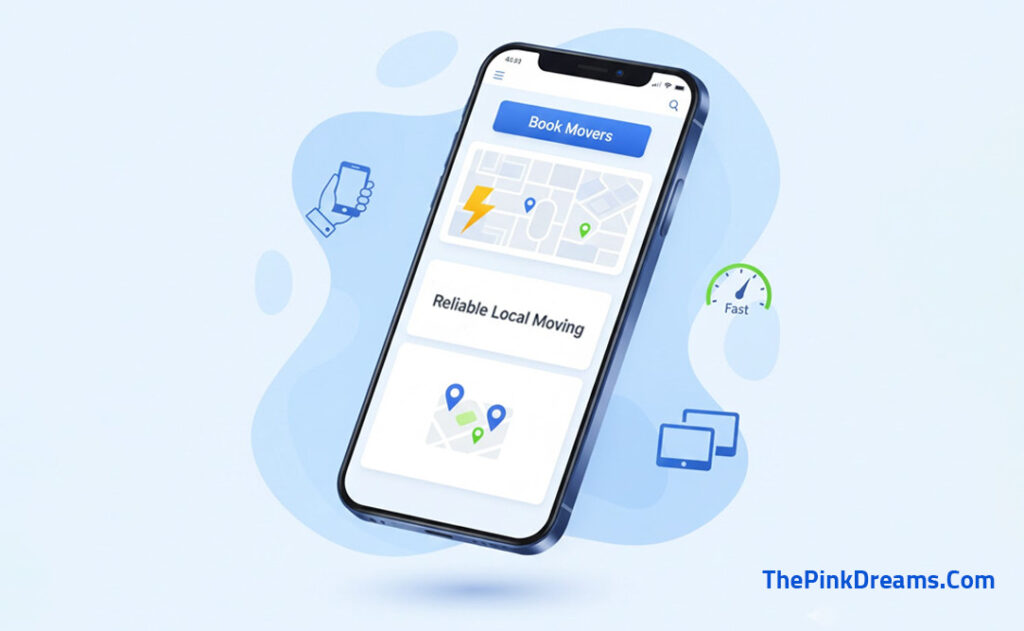
Mobile friendliness means your website looks good and works properly on smartphones and tablets, not just on desktop computers. This is not optional. Google now uses mobile-first indexing, which means Google primarily looks at the mobile version of your website when deciding how to rank it. If your site looks great on a desktop but is hard to use on a phone, Google will rank you lower across all devices.
Over 62% of all web traffic now comes from mobile devices, and for local service businesses like moving companies, the percentage can be even higher. Many people search for movers on their phone while they are in the middle of planning a move. If your website is difficult to navigate on a phone, has text that requires zooming, or has forms that are impossible to fill out on a small screen, those visitors will leave and call your competitor instead.
What to do: Use a responsive website design that automatically adjusts to fit any screen size. Test your site on at least 3 different phones and a tablet. Check that all buttons are large enough to tap with a finger (at least 44×44 pixels), text is readable without zooming, images resize properly, forms are easy to fill out on mobile, and your phone number is a tappable click-to-call link. Use Google’s free Mobile-Friendly Test tool (search.google.com/test/mobile-friendly) to check your site and identify specific issues to fix.
10. Use Location-Based Keywords Throughout Your Site
Location-based keywords are search terms that include specific cities, neighborhoods, regions, or service areas. For moving companies, these are the most valuable keywords you can target because they capture people who are actively looking for movers in your exact area.
When someone types “movers near me” or “best moving company in Vancouver,” Google looks for location signals on your website to determine whether you serve that area. If your website never mentions Vancouver, its neighborhoods, or its surrounding cities, Google has no reason to show your site for that search, even if your business is located right in the middle of the city.
The most effective approach is to weave location references naturally throughout your site, not just on a single “Service Areas” page. Your homepage should mention your primary city. Your service pages should reference the city in their titles and content. And if you serve multiple cities or regions, you should create a dedicated location page for each one.
What to do: Add your primary city name to your homepage title tag, H1 heading, and first paragraph. Create individual location pages for each major city or area you serve (e.g., “/movers-in-vancouver,” “/movers-in-burnaby,” “/movers-in-surrey”). Include neighborhood names, zip or postal codes, and nearby landmarks in your content where it feels natural. Add your full business address in your website footer on every page. Mention location-specific details in your service descriptions, such as “We serve the Greater Toronto Area, including Mississauga, Brampton, and Scarborough.”
Common On-Page SEO Mistakes to Avoid
| Mistake | Why It Hurts Your Rankings |
| Keyword Stuffing | Repeating keywords unnaturally triggers Google’s spam filters and can result in ranking penalties. Write for humans first, search engines second. |
| Duplicate Content | Having identical or very similar content across multiple pages confuses Google about which page to rank. Every page needs its own unique content. |
| Missing Meta Tags | Pages without unique title tags and meta descriptions miss critical ranking signals and get lower click-through rates in search results. |
| Slow Website Speed | Pages loading in more than 3 seconds lose over half their mobile visitors. Google also uses speed as a direct ranking factor. |
| Poor Mobile Experience | With mobile-first indexing, a website that does not work well on phones is penalized in Google’s rankings across all devices. |
| No Internal Linking | Pages with no internal links are harder for Google to discover and rank. They also provide a poor experience for visitors. |
| Generic Content | Vague, non-specific content gives Google no reason to rank your page above competitors who provide detailed, helpful information. |
How On-Page SEO Improves Rankings and Leads
Higher Search Visibility: Every optimization makes it easier for Google to match your pages to relevant searches, meaning more people see your business in search results.
Better Click-Through Rates: Compelling title tags and descriptions increase the percentage of searchers who click on your listing, bringing more visitors to your site.
Improved Conversions: Clear calls-to-action, fast load times, and mobile-friendly design directly influence whether visitors request a quote or call your business.
Why Choose Pink Dreams for Moving Company SEO
At Pink Dreams, we deliver results-driven on-page SEO for moving companies, tailored to your market, services, and growth goals. Our team helps local service businesses across Canada and the US improve Google rankings, increase visibility, and generate more qualified leads through proven, data-driven strategies.
Our services include on-page SEO, local SEO, website optimization, content optimization, and ongoing performance monitoring. Visit https://thepinkdreams.com/ to get your digital presence audit.
How to Get Started
1. Week 1: Audit and update your title tags and meta descriptions with your primary keyword and location.
2. Week 2: Create or improve your service-specific pages with unique content and proper headings.
3. Week 3: Test your website speed and mobile friendliness. Fix critical issues like oversized images and non-responsive layouts.
4. Week 4: Build your internal linking structure connecting service, location, and blog pages to each other.
Free tools to get started: Google Search Console (track rankings and indexing), Google PageSpeed Insights (test speed), Google’s Mobile-Friendly Test (check responsiveness), and Ubersuggest or AnswerThePublic (keyword research).
Conclusion
On-page SEO is the foundation of your moving company’s digital visibility. These 10 tips give Google clear signals about your services, locations, and why you deserve to rank. The best part is that every improvement is within your control and does not require a large budget to implement.
Unlike paid advertising that stops the moment you pause your budget; a well-optimized website generates consistent organic traffic and leads month after month. Start with the highest-impact changes, measure your progress, and build from there.
For expert guidance, Pink Dreams specializes in on-page and local SEO for moving companies. Visit thepinkdreams.com to claim your free digital presence audit and discover the optimizations that will move the needle for your business.
FAQ
What is on-page SEO?
On-page SEO is the process of optimizing elements on your own website to improve search engine rankings. This includes page titles, meta descriptions, headings, content, images, URLs, internal links, page speed, and mobile responsiveness. It is everything within your direct control on your website.
How can moving companies improve their Google rankings?
Optimize title tags with local keywords, create dedicated service and location pages, improve website speed and mobile experience, build internal links, add descriptive alt text to images, and publish helpful content regularly. Combining these with Google Business Profile optimization and customer reviews creates the strongest foundation.
How long does SEO take?
On-page changes can produce results within weeks for less competitive keywords. Competitive keywords typically need 3-6 months of consistent optimization. Results compound over time, and businesses that maintain ongoing optimization outperform those that treat SEO as a one-time project.
Is local SEO important for movers?
Yes, local SEO is critical because virtually all moving customers search locally. Without location keywords, a Google Business Profile, and local citations, your business is invisible to the customers most likely to hire you.
Can I do on-page SEO myself?
Yes, many of the tips in this guide can be implemented by a motivated business owner using free tools like Google Search Console and PageSpeed Insights. For maximum results and to avoid mistakes, many moving companies choose to work with a professional.

Digital Marketing Strategist & Business Coach
As a leading digital marketing strategist and business coach, he is responsible for helping entrepreneurs and brands grow faster in a smarter, more scalable way. With over 20 years of experience, Nagarajan specializes in practical coaching, automation-first marketing strategies, and technology-driven growth systems. His work focuses on enhancing brand visibility, improving performance, and building sustainable frameworks that enable long-term business success.