




Five ways to see exactly which ads a company is running right now, using free tools and no account.
Every ad your competitors are running is public. Not summarised or estimated, but the actual creative, live, viewable by anyone with a browser.
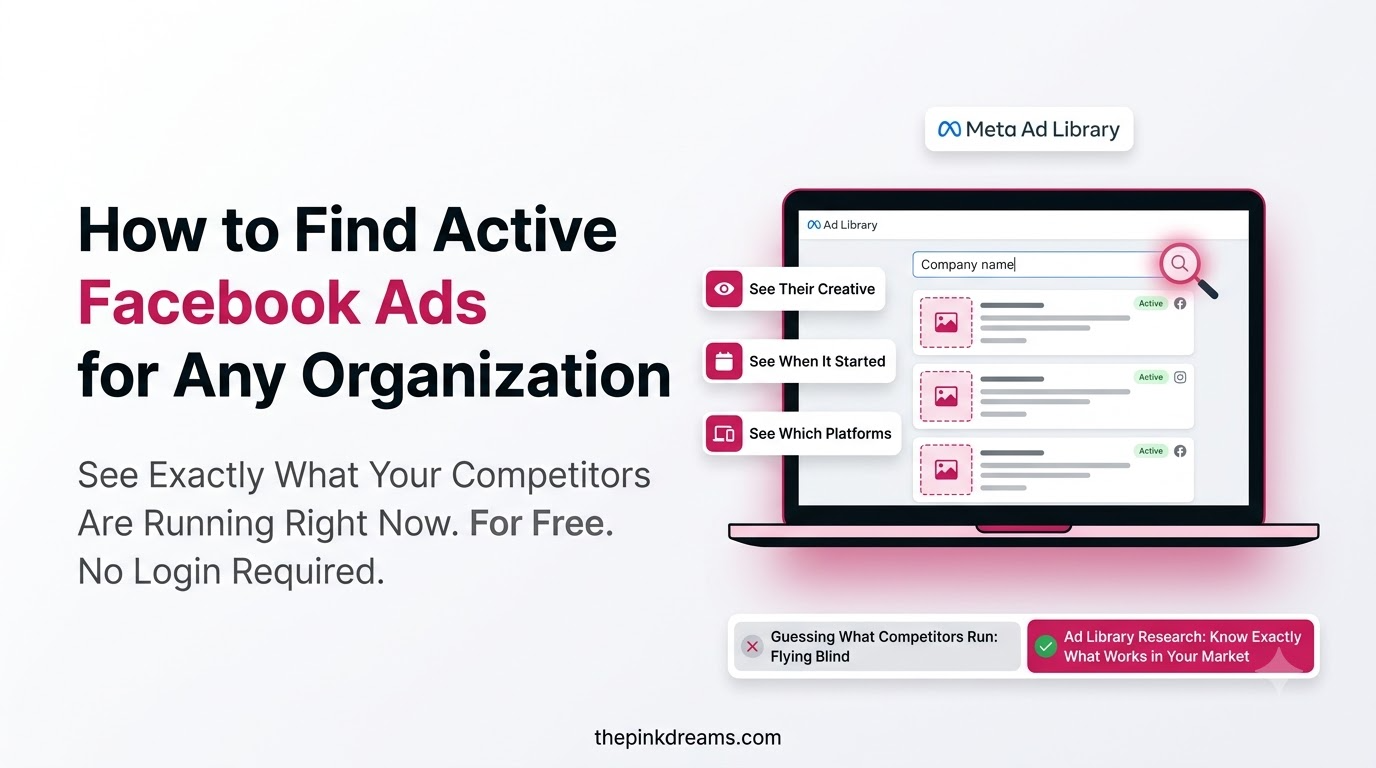
How to find active Facebook ads for an organization: open the Meta Ad Library, search the company name, filter by country, and read the results. It takes two minutes, needs no login, and is the most useful free research tool in social media marketing. Four other methods fill the gaps for when that one comes back empty, which happens more often than most guides admit.
Key Takeaways
- The Meta Ad Library is a public archive of ads currently running across Facebook, Instagram, Messenger and the Audience Network.
- No Facebook account is required, and the company is never notified that you looked.
- There are five distinct methods, and they answer different questions. Only the first shows you every live ad at once.
- Checking a company’s website for the Meta Pixel tells you whether they advertise at all, even when the library shows nothing.
- Clicking “Why am I seeing this ad?” on an ad served to you is the only free way to glimpse targeting information.
- For ordinary commercial ads you can see creative, start date and platforms, but never spend or perform.
- Commercial ads disappear from the library when they stop, so screenshot anything useful immediately.
- Facebook is not the only ad library. Google, LinkedIn, X and TikTok all publish versions of the same thing.
Start Here: What Counts as an Active Ad
Before searching, it helps to know what “active” means in this context, because the word does more work than people expect.
An active ad is one currently being delivered. It is in a live campaign with a budget attached, which is why it appears in the library at all. Once the advertiser pauses or ends it, an ordinary commercial ad leaves the library entirely and cannot be retrieved.
That creates two practical consequences worth knowing before you start. First, the library is a snapshot rather than an archive, so what you see today may be gone next week. Second, an ad that has been running continuously for months is almost certainly profitable, because nobody funds a losing ad for a quarter. Duration is the closest thing to a free performance metric you will ever get from this tool.
Political and social issue advertising works differently. Those ads are retained for years and carry far more detail, including spend and reach ranges. Almost everything in this article that sounds restrictive applies only to commercial advertising.
Key Takeaway: Active means currently funded. Screenshot anything worth keeping, because commercial ads vanish the moment they stop.
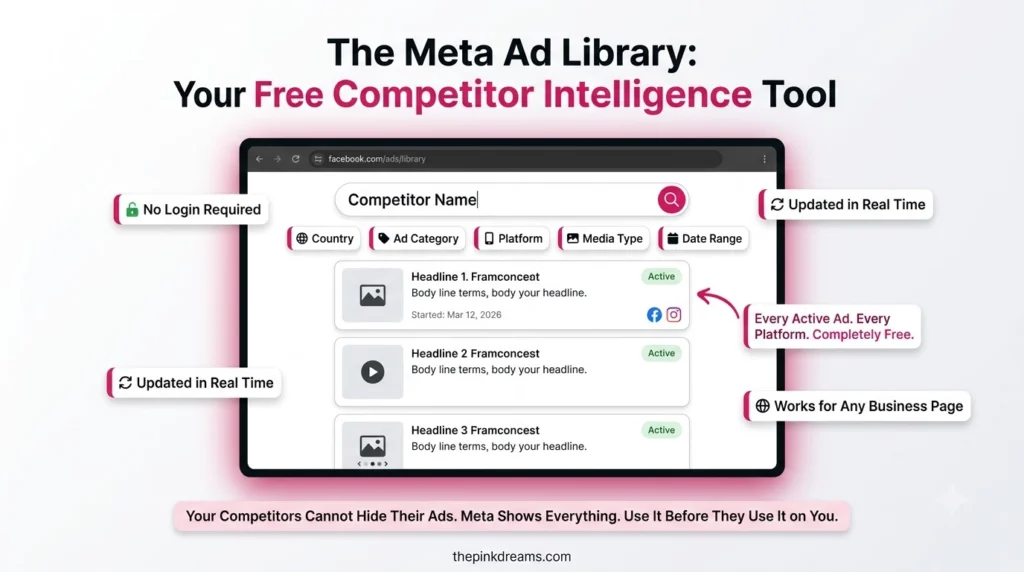
Method 1: Search Facebook Ads Directly in the Meta Ad Library
This is the primary method and the only one that returns every live ad for an advertiser at once.
1. Open the Ad Library at facebook.com/ads/library. There is no login, and no account is needed.
2. Set the country. The library filters by where ads are delivered, not where the company is based, so a business advertising only in Australia will not appear under a Canadian filter.
3. Choose the ad category. Leave it on all ads for commercial research. Switch to issues, elections and politics only when studying that category specifically.
4. Type the company name. As you type, matching advertiser Pages appear in a dropdown. Select the official Page rather than a fan page or regional duplicate.
5. Read the results. Each entry shows the creative, the date it started running, the platforms it appears on, and how many versions are in circulation.
6. Save the search. The library lets you save a search so you can return to the same advertiser without rebuilding the filters. For competitors you check regularly, this turns a five-minute task into a fifteen-second one.
Most failed searches are a country filter rather than a company that has stopped advertising. Change it before concluding anything.
Key Takeaway: Search Facebook ads by advertiser name, set the country first, and save the search for any competitor you will check again.
Method 2: Go Through the Company’s Page Transparency Section
If you already have the company’s Facebook Page open, you can reach their ads without leaving it.
Find the Page Transparency area in the Page’s information section, open the full view, then scroll to the part listing ads from the Page. A link takes you straight into the Ad Library with that advertiser already selected.
The route matters less than what surrounds it. Page Transparency also shows when the Page was created, any previous names it has used, and which countries its managers operate from. That context is often more revealing than the ads. A business claiming two decades of local trading on a Page created eight months ago has told you something, and so has a supposedly local company managed from three time zones away.
It is also a reminder that anyone can run this check on you. If your own Page has not been reviewed recently, our guide on how to advertise your business on Facebook covers what a visitor sees before they decide whether to take you seriously.
Key Takeaway: Page Transparency gives you the ads plus the Page’s history, which is frequently the more useful half.
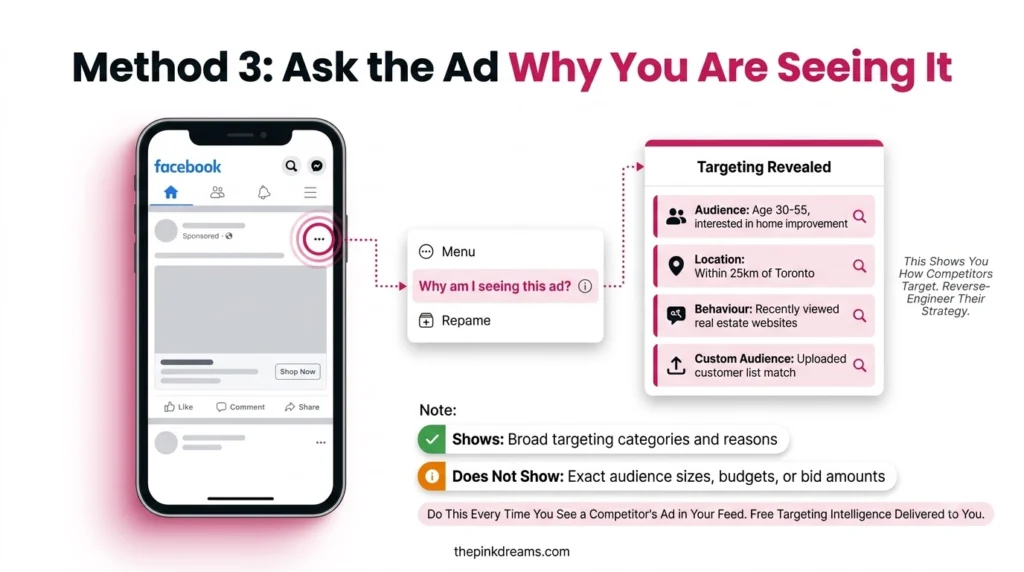
Method 3: Ask the Ad Itself Why You Are Seeing It
When an ad appears in your own feed, open the menu on the ad and choose the option asking why you are seeing it. Meta then explains which broad factors caused you to be targeted, which might include your location, age range, interests, or the fact that the advertiser uploaded a list or is reaching people similar to their existing customers.
This is the only free way to see anything resembling targeting information, and it is genuinely useful. If a competitor is reaching you through a customer list, that tells you they have one and are using it. If they are reaching you by broad location and age alone, that tells you their targeting is simpler than you assumed.
Two honest limitations. It only works on ads you have actually been served, so you cannot use it deliberately on a chosen competitor. And the explanation is deliberately general rather than a readout of their audience settings.
Key Takeaway: The ad menu is the only free window into targeting, but only for ads that happened to find you.
Method 4: Check Their Website for the Meta Pixel
Sometimes the library shows nothing and you still want to know whether a company advertises at all. Their website answers that.
Open the company’s site, view the page source, and search the code for the tracking snippet Meta installs, usually recognisable by references to the Pixel or to Meta’s connect domain. If it is there, the business has set up conversion tracking for Meta advertising.
Here is where most guides overstate the result. A Pixel proves the company has prepared to advertise, not that it is advertising today. Plenty of businesses install one during a website build and never run a campaign, and plenty of others advertised heavily last year and stopped. Treat a Pixel as evidence of intent, and confirm current activity through the Ad Library.
You may also see suggestions to use ad blocker extensions to detect advertising. That method is unreliable and produces more confusion than insight, so it is not worth the time.
Key Takeaway: A Pixel tells you a company is set up to advertise. Only the Ad Library tells you whether they are doing it now.
Method 5: Find Active Online Ad Campaigns by Companies You Have Never Heard Of
The methods above all assume you know who you are looking for. The most valuable search does not.
Instead of an advertiser name, enter a keyword or phrase into the Ad Library search. Try your service plus your city, or an industry term your customers would use. The library returns every current ad containing that phrase, which surfaces active online ad campaigns by companies you never considered competitors: national brands running local campaigns in your area, new entrants, and businesses attacking your market from an adjacent category.
This is also the fastest way to read a market. Twenty ads for the same service in the same city, viewed together, show you the shared assumptions everyone is making. The opening nobody has taken is usually visible within ten minutes.
Combine keyword search with the date filters and you can see how a market’s messaging has shifted across a season, which is difficult to reconstruct any other way.
Key Takeaway: Keyword search finds competitors you did not know you had. It is the single most underused function in the library.
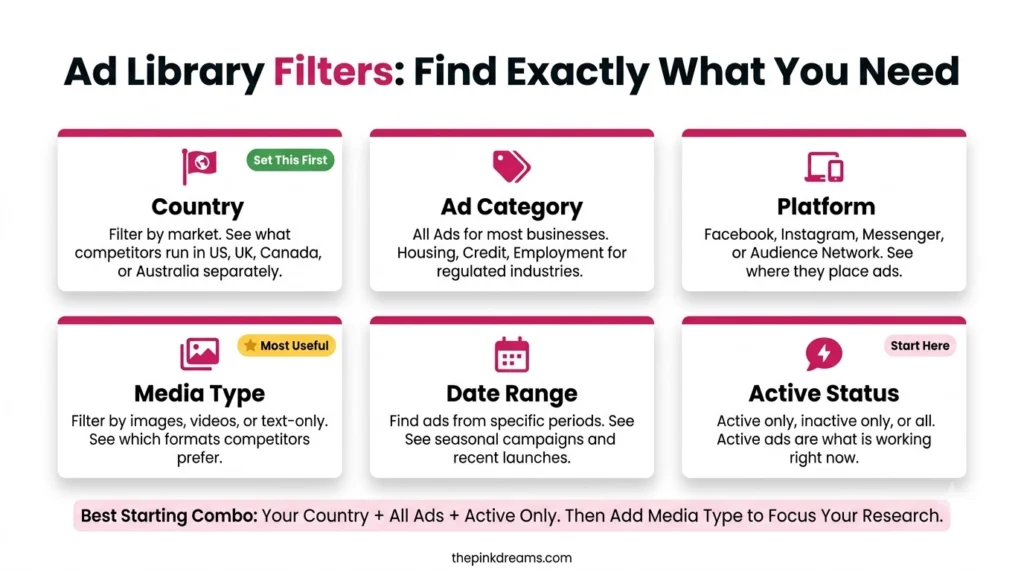
The Filters That Do the Real Work
The search box gets the attention, but the filters decide what you actually see.
Country is the one that breaks most searches, because it tracks delivery rather than company headquarters. If a competitor matters to your research, check them under more than one country setting, since disclosure requirements also vary by region and the same advertiser can look more transparent in one market than another.
Ad category hides everything commercial when set to issues and elections, which quietly explains a lot of empty result screens.
Platform reveals concentration. An advertiser appearing only on Instagram is telling you where they believe their audience is.
Media type gives a fast read on creative strategy. Filter to video and you learn immediately whether a competitor is investing in production or defaulting to static images.
Date range exposes cadence and seasonality, showing whether a competitor advertises continuously or wakes up twice a year.
Active status lets you include inactive ads, though for commercial advertisers this returns far less than people expect, since ordinary ads are not retained after they stop.
Key Takeaway: Reset every filter to its broadest setting before deciding an advertiser is not running ads.
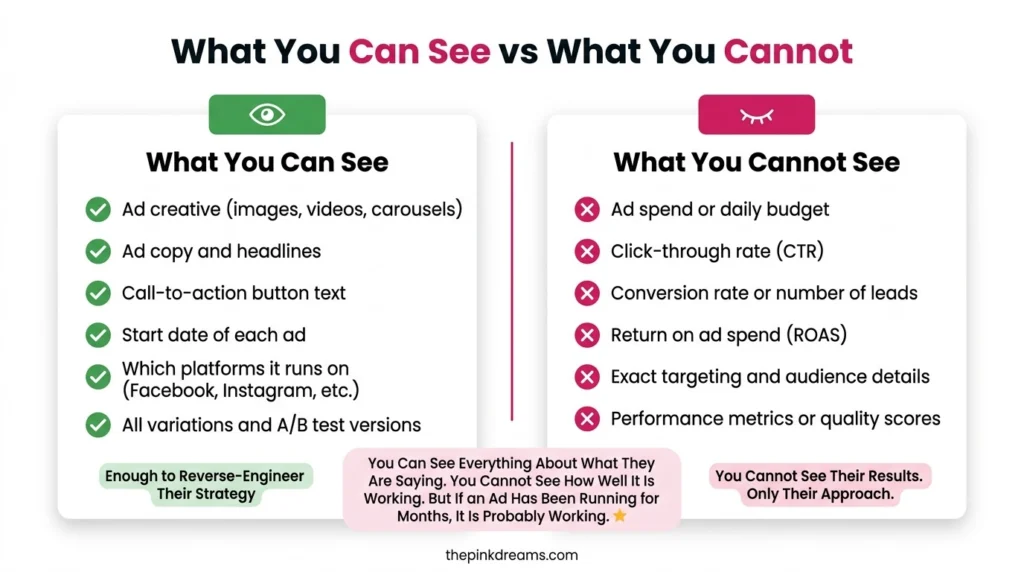
What the Ad Library Shows You, and What It Hides
Several guides claim you can view performance and spending data for any ad in the library. For ordinary commercial advertising, you cannot, and building a strategy on that assumption wastes time.
You can see the full creative, the headline and body copy, the call to action, the date the ad began running, the platforms it appears on, how many variations of it exist, and the advertiser’s Page details.
You cannot see spend, click-through rate, conversions, return on ad spend, audience targeting, or which variation is winning. None of it is published for commercial ads.
The variation count is the consolation prize, and it is better than it sounds. An advertiser running eight versions of one concept is testing seriously, which tells you they have a process and a budget behind it. One version running alone for months suggests either a proven winner or an account nobody is managing. Reading that distinction is most of the skill here.
Key Takeaway: Creative and timing are public. Money and targeting are not. Ad variation counts reveal how disciplined a competitor’s testing really is.
How to Use Facebook Competitor Ads Once You Have Found Them
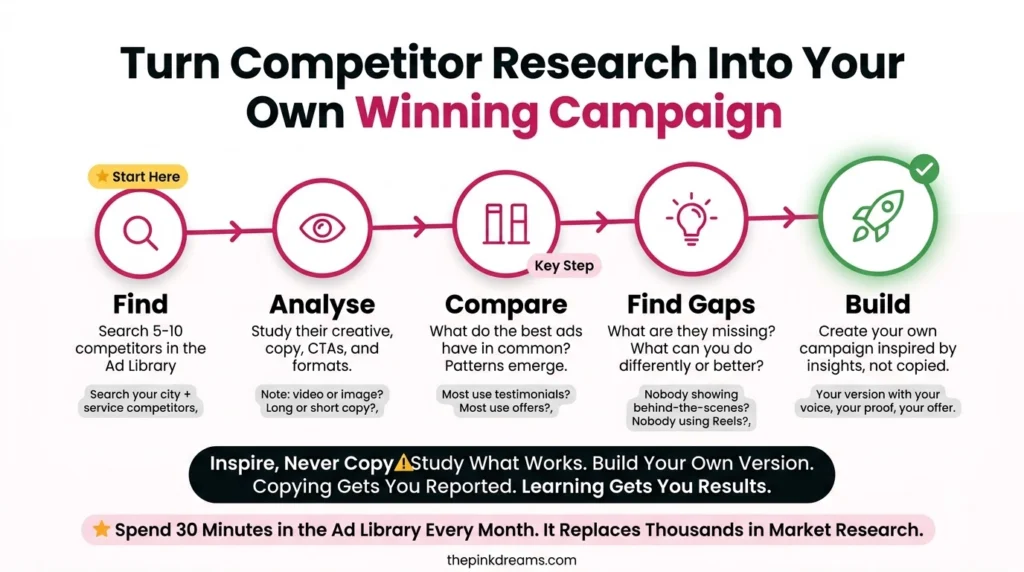
Finding the ads is easy. Learning to use Facebook competitor ads as an input rather than a template is the part that changes your results.
Work through the same questions for each competitor rather than browsing impressionistically:
• How many ads are live, and how long has each been running?
• Which formats dominate, and has that changed recently?
• What is the first line of copy, and what problem does it name?
• What offer appears, and how does it compare to yours?
• Where does the ad send people, and what does that reveal about their funnel?
• How many versions of the same concept exist?
Then apply two rules. Copy structure, never creative, because lifting someone’s ad is legally risky and strategically pointless. And look for the gap rather than the pattern, since if every competitor is advertising on price, the opening is not a cheaper price but a different argument entirely.
What you find should feed your own campaigns. If the research shows everyone competing on immediate conversions, building recognition first is often the cheaper path, which our guide on Facebook ads for brand awareness covers. If it shows everyone chasing the same narrow audience, which targeting option is best for achieving brand awareness explains where the room is. And if the volume of competition explains why your own costs keep climbing, the pressures behind that are covered in our piece on Instagram advertising challenges for small brands.
Key Takeaway: Ask the same six questions of every competitor, then build around the argument none of them are making.
Where Else to Look: Ad Libraries Beyond Facebook
Meta was first, but it is no longer alone. If a competitor advertises across channels, the rest of their activity is visible too.
Google operates an Ads Transparency Center covering Search, Display and YouTube ads, with run dates and the regions ads appeared in.
LinkedIn publishes an ad library showing ads running across its placements, which is the essential one for business-to-business research.
X maintains an ads repository, which is less detailed than Meta’s but still offers visibility into what is running.
TikTok has a commercial content library, though availability and depth vary by region and it is more limited outside Europe.
Coverage differs by platform and by country, so treat any one library as partial. Checking two or three gives a far more honest picture of a competitor’s spending than checking Meta alone, particularly for businesses whose customers are not primarily on Facebook.
Key Takeaway: Check at least two libraries. A competitor quiet on Meta may be spending heavily somewhere you have not looked.
Wrapping Up
Knowing how to find active Facebook ads for an organization is genuinely a competitive advantage, and an odd one, because the information is free and public and almost nobody uses it. Most businesses guess at what competitors are doing while the answer sits three clicks away in a tool that does not even require an account.
Give it half an hour. Search your three closest competitors by name, then search your service and your city as a keyword to find the ones you missed. Save the searches. Screenshot anything running longer than two months, because that is the proven material. Then ask the six questions above and look for the argument nobody is making.
You will finish with a clearer view of your market than most competitor analysis produces in a week, and it will have cost you nothing but the half hour.
And if the harder problem is acting on what you found, Pink Dreams can help. Pink Dreams is a digital marketing agency that helps businesses attract more customers through paid social, search, content and conversion-focused strategy. Our team reviews your competitive landscape and current visibility, builds a customized roadmap, and handles the creative, targeting and measurement work needed to turn research into enquiries. Request a free digital presence audit to see where you stand.
FAQ
Do I need a Facebook account to see a company’s active ads?
No. The Meta Ad Library is publicly accessible without logging in, so you can research any advertiser without an account and without following or interacting with them. The company receives no notification, and nothing about your search is visible to them.
Can I see ads a company has already stopped running?
Generally not, for ordinary commercial advertising, since those ads leave the library once they stop. Ads about social issues, elections and politics are the exception and are retained for several years with far more detail. Screenshot any commercial ad worth remembering the moment you find it.
How can I find every company advertising in my industry?
Search by keyword rather than by advertiser. Enter your service plus your city, or an industry term, and the Ad Library returns every current ad containing that phrase. This surfaces national brands running local campaigns and new entrants you would never have thought to search for by name.
Can I see how much a competitor spends on Facebook ads?
Not for commercial campaigns. Spending figures are published only for ads about social issues, elections and politics. For everything else you get creative, start date and platforms with no financial data. The useful substitute is duration, since an ad running for months is almost certainly profitable.
Why do a competitor’s ads appear in one country but not another?
Because the library filters by where ads are being delivered rather than where the business is based. An advertiser running campaigns only in the United Kingdom will return nothing under a Canadian filter. Disclosure rules also differ by region, so check important competitors under several country settings.

Digital Marketing Strategist & Business Coach
As a leading digital marketing strategist and business coach, he is responsible for helping entrepreneurs and brands grow faster in a smarter, more scalable way. With over 20 years of experience, Nagarajan specializes in practical coaching, automation-first marketing strategies, and technology-driven growth systems. His work focuses on enhancing brand visibility, improving performance, and building sustainable frameworks that enable long-term business success.