




How to choose the right ecommerce platform for your small business, without wasting months on the wrong one.
Every platform claims to be the easiest, the cheapest, and the one built for you. They cannot all be right, and choosing the wrong one can cost you months of rebuilding.
Which ecommerce platform is best for a small business depends on three things: what you sell, whether you already have a website, and how much technical work you are willing to own. Shopify suits most small businesses selling physical products, WooCommerce suits anyone already on WordPress, and the simpler builders suit small catalogues where design matters more than advanced features. The platform gives you the store, but growth comes from the traffic, SEO, and digital marketing services that bring customers to it.
Key Takeaways
- There is no single best platform. The right answer depends on your products, your existing website, and your appetite for maintenance.
- Hosted platforms handle the technical work for a monthly fee. Self-hosted platforms are cheaper on paper and more expensive in time.
- Shopify is the default choice for most small businesses selling physical products, including dropshipping.
- WooCommerce makes sense if you already run WordPress and have someone who can maintain it.
- The subscription is rarely the biggest cost. Payment processing, apps, and design usually add more.
- Migrating later is painful, so choose for where the business will be in two years, not where it is today.
- Tax rules, payment methods, shipping partners, and consumer law differ across markets. The platform must support yours.
The Engine Behind Every Successful Online Store
An ecommerce platform is the software that runs an online store. It handles the product catalogue, the shopping cart, checkout and payments, order management, and usually the website itself. Some platforms host everything for you, while others are software you install and maintain on your own hosting.
At a minimum, a platform must let customers find products, add them to a cart, and pay securely. Beyond that, platforms differ enormously in how much they do for you, how much you can customize, and how much of the technical burden you carry.
Key Takeaway: The platform is the engine of the store. Choose it for what it does well, not for the marketing on its homepage.
Ecommerce Platforms List: The 2026 Comparison at a Glance
This ecommerce platforms list covers the eight options most small businesses realistically choose between. Each row shows what the platform is built for and the trade-off that comes with it, so you can shortlist two or three before reading the detail below.
| Platform | Type | Best for | Main trade-off |
| Shopify | Hosted (SaaS) | Most small businesses selling physical products | Monthly fee, plus extra transaction fees if you use an outside payment gateway |
| WooCommerce | Self-hosted | Businesses already running a WordPress site | You own the hosting, security, updates, and everything that breaks |
| Wix | Hosted (SaaS) | A full business website where the store is one part | Ecommerce is an add-on rather than the core of the product |
| Squarespace | Hosted (SaaS) | Design-led brands with small catalogues | Fewer advanced ecommerce features and a smaller app market |
| BigCommerce | Hosted (SaaS) | Growing catalogues and multichannel selling | More to learn upfront than the simpler builders |
| Square Online | Hosted (SaaS) | Shops already using Square for in-person sales | Less flexible than a dedicated online-first platform |
| Ecwid | Embedded | Adding a store to a website you already have | Limited as a standalone storefront |
| Big Cartel | Hosted (SaaS) | Artists and makers with very small catalogues | Outgrown quickly once the catalogue expands |
Enterprise platforms such as Adobe Commerce, Shopify Plus, and headless or composable setups are deliberately left out. They solve problems small businesses do not have yet, and they carry costs and development requirements that rarely make sense below a substantial revenue level.
Key Takeaway: Shortlist two or three from this table, then compare those properly. Comparing all eight in depth wastes weeks and rarely changes the answer.
How We Compared These Ecommerce Platforms
Every comparison article ranks platforms differently, so it is worth stating the criteria. We weighted the factors that actually determine whether a small business succeeds on a platform, rather than the feature counts that look impressive in a specification sheet.
• Ease of setup and daily use: can a non-technical owner launch and run it without hiring help?
• Total cost of ownership: subscription plus processing plus apps plus maintenance, not the headline price.
• Room to grow: does the platform still work at ten times the current catalogue and order volume?
• Search visibility: how much control you have over URLs, metadata, page speed, and structured data.
• Ecosystem: the availability of apps, themes, payment gateways, and people who know the platform.
• Exit cost: how difficult it is to leave, because every platform eventually gets outgrown or outpriced.
Key Takeaway: Judge platforms on total cost, growth headroom, and exit cost. Feature lists rarely predict which one you will still be happy with in two years.
Which Ecommerce Platform Is Best for Small Businesses? The Eight Main Options
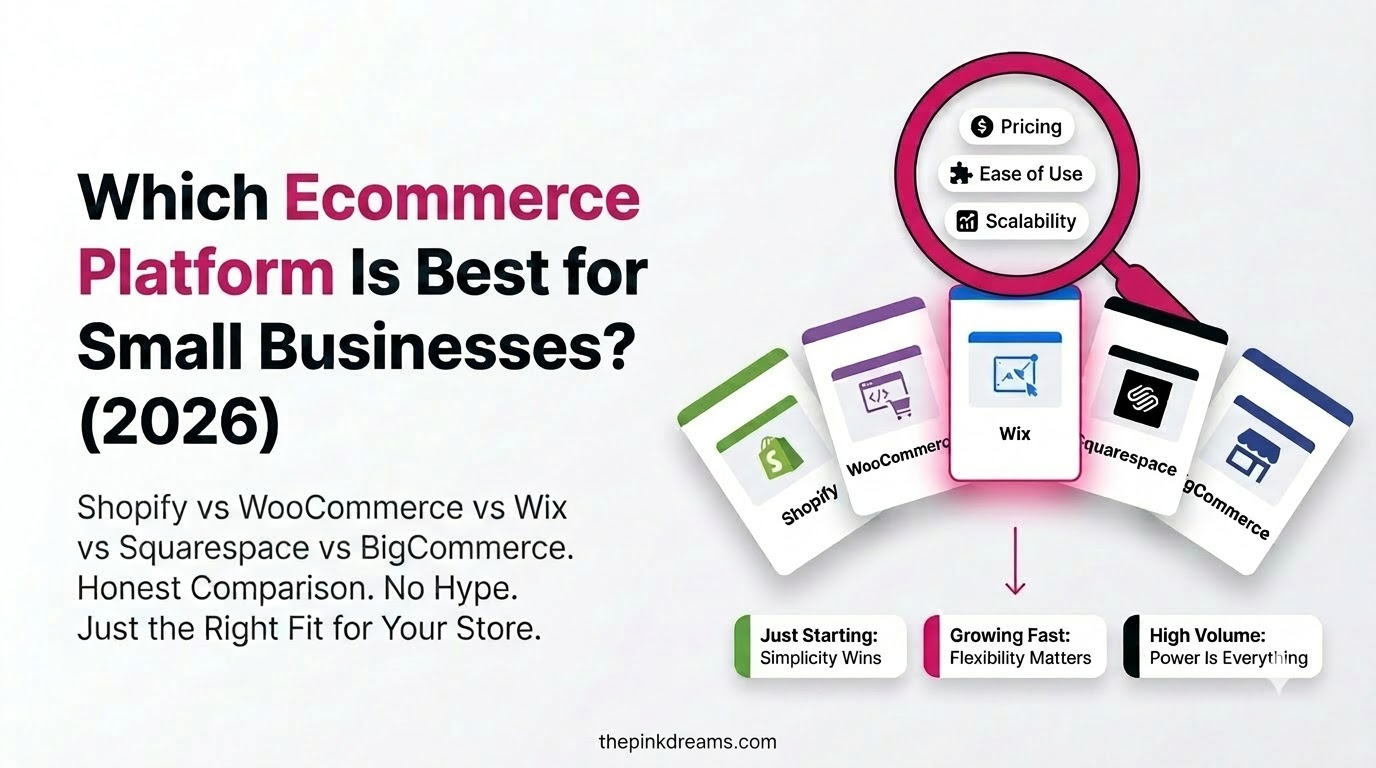
The best ecommerce platform for small business use is the one that matches your product type and your technical comfort. Shopify fits most product sellers, WooCommerce fits WordPress users, Wix and Squarespace fit design-led sites with small catalogues, and BigCommerce fits growing multichannel catalogues.
1. Shopify: best all-round choice for physical products
Shopify is the default recommendation for most small businesses because it handles hosting, security, and updates, and its app ecosystem covers almost every requirement a growing store develops. Setup is fast, the checkout converts well, and there are more agencies and freelancers who know Shopify than any other platform.
The trade-offs are real. You pay monthly, you pay an additional transaction fee if you use a payment gateway other than Shopify’s own, and deeper customisation runs into the limits of a closed system. For most small businesses, those constraints cost less than the time self-hosting would consume.
2. WooCommerce: best if you already run WordPress
WooCommerce turns an existing WordPress site into a store. The plugin itself is free, which makes it look like the cheapest option, but you pay for hosting, security, backups, premium extensions, and someone to fix things when an update breaks the checkout.
Choose it if you already have WordPress, already have content ranking, and have technical support available. Avoid it if nobody in the business can maintain a website, because an unmaintained store is a security liability rather than a saving.
3. Wix: best when the store is part of a bigger website
Wix is a strong website builder with capable ecommerce attached. If you need an actual business website with an online store as one section, rather than a store that happens to have an about page, Wix handles that combination well and requires no technical knowledge.
It is less suited to businesses whose entire model is selling online. The ecommerce feature set is solid rather than deep, and heavy catalogues or complex fulfilment rules will find the edges.
4. Squarespace: best for design-led brands with small catalogues
Squarespace produces the best-looking stores with the least effort. For a brand where presentation drives the sale, a small product range, and an owner who wants it to look considered without hiring a designer, it is difficult to beat.
The limits appear as the catalogue grows. The app market is smaller, advanced merchandising is limited, and complex shipping or tax scenarios are harder to configure than on a dedicated ecommerce platform.
5. BigCommerce: best for growing catalogues and multichannel selling
BigCommerce includes more functionality natively, which means fewer paid apps as the store grows, and it handles large catalogues and selling across marketplaces well. It also does not charge an additional transaction fee for using outside payment gateways.
There is more to learn than on the simpler builders, and the theme ecosystem is smaller than Shopify’s. It suits an owner who expects real growth and is willing to invest time in setup.
6. Square Online: best if you already sell in person
If you already take payments in person with Square, Square Online keeps inventory, orders, and reporting in one system across the counter and the website. For a shop, cafe, or market trader adding online sales, that single view is worth more than extra features.
As an online-first platform it is less flexible than the alternatives, so it suits businesses where physical sales remain the larger channel.
7. Ecwid: best for adding a store to a site you already have
Ecwid embeds a store into almost any existing website, which makes it useful when you are happy with your current site and only need selling functionality bolted on. It also syncs across social channels and marketplaces.
It is not the right choice for building a store from scratch. As a standalone storefront it is weaker than the platforms designed to be the whole site.
8. Big Cartel: best for artists and makers
Big Cartel is built for creators selling a small number of products. It is simple, inexpensive, and deliberately limited, which is exactly right for a maker who wants to sell prints or handmade goods without learning ecommerce software.
Growth is where it ends. Once the catalogue or the order volume expands, most sellers migrate, so treat it as a starting point rather than a long-term home.
Key Takeaway: Shopify for most product sellers, WooCommerce for WordPress users, Wix or Squarespace for design-led small catalogues, BigCommerce for growth. The rest are situational.
Shopify vs WooCommerce: The Choice Most Small Businesses Actually Face
Most small businesses end up deciding between Shopify and WooCommerce, and the deciding factor is not features. It is who maintains the store. Shopify handles hosting, security, and updates for a monthly fee. WooCommerce hands you full control and full responsibility for keeping the site running.
| Question | Shopify | WooCommerce |
| Who maintains it | The platform does | You do, or someone you pay |
| Real monthly cost | Subscription, apps, processing | Hosting, extensions, processing, maintenance |
| Time to launch | Days | Weeks, unless the site already exists |
| Design control | Themes and limited code access | Complete, down to the template files |
| Content and blogging | Workable but basic | The strongest publishing environment available |
| If something breaks | Support handles it | You handle it, often urgently |
| Best fit | You want to sell, not administer software | You already run WordPress and have technical help |
The cost comparison misleads people. WooCommerce looks free because the plugin is, but a working store needs decent hosting, an SSL certificate, several premium extensions, and someone to fix the checkout when a plugin update breaks it. Once those are counted, the gap narrows sharply.
The honest test is this: if the store broke on a Saturday morning, who fixes it? If the answer is a developer you already work with, WooCommerce is a strong choice and gives you more control. If the answer is nobody, choose hosted and spend the difference on marketing.
Key Takeaway: Pick Shopify if you want to sell. Pick WooCommerce if you want to own the whole stack and have someone who can maintain it.
Types of Ecommerce Platforms: Hosted, Self-Hosted, and Open-Source
Ecommerce platforms fall into three types. Hosted platforms run the software for you in exchange for a subscription. Self-hosted platforms give you the software to install on your own server. Open-source platforms give you the code itself, which means unlimited control and full responsibility for everything.
• Hosted, also called SaaS: Shopify, BigCommerce, Wix, Squarespace, Square Online. Predictable costs, security and updates handled, less control over the underlying code.
• Self-hosted: WooCommerce and similar. Lower software cost, complete control, and full responsibility for hosting, security, backups, and updates.
• Open-source and composable: used mainly at enterprise scale. Maximum flexibility, significant development cost, and rarely the right answer for a small business.
Key Takeaway: Hosted platforms trade money for time. Self-hosted platforms trade time for money. Decide which of the two you actually have.
Which Ecommerce Platform Is Best for Dropshipping?
Shopify is generally the best ecommerce platform for dropshipping, because it has the largest ecosystem of supplier and product-sourcing apps, automated order routing, and the widest pool of people who know how to run a dropshipping store. WooCommerce is the strongest alternative if you want lower ongoing platform costs and can handle maintenance.
What dropshipping actually needs from a platform
• Reliable integrations with supplier and sourcing apps so orders route automatically
• Automatic inventory syncing, so you do not sell products that a supplier has run out of
• Flexible shipping rules and clear delivery-time messaging at checkout
• Support for the payment methods your target market actually uses
• Fast pages and clean URLs, because most dropshipping traffic is paid and every point of conversion matters
The honest caveat
Platform choice is one of the smaller variables in dropshipping. Supplier reliability, realistic shipping times, product margin, and advertising cost decide whether the model works. A store on the perfect platform with a slow supplier and thin margins still fails, which is why most dropshipping businesses that survive invest heavily in paid media and conversion testing rather than platform features.
If your model depends on paid traffic, budget for it properly from the start and treat PPC and paid search management as a core cost rather than an experiment.
Key Takeaway: Shopify for most dropshipping stores, WooCommerce if you want lower platform costs. But suppliers and margins decide the outcome, not the platform.
Which Ecommerce Platform Suits Digital Products and Subscriptions?
If you sell downloads, courses, memberships, or subscription boxes rather than physical goods, the ranking changes. Physical-product platforms treat digital delivery and recurring billing as add-ons, which means you pay for apps to do what a purpose-built tool does natively.
• Digital downloads: look for native file delivery, download limits, and licence keys rather than an app bolted on top.
• Subscriptions and memberships: recurring billing, dunning for failed payments, and self-service plan changes matter far more than catalogue features.
• Courses and content: WordPress with a membership plugin usually beats a product-first platform, because the content management is the hard part.
• Mixed catalogues: if you sell physical and digital together, prioritise the physical side and add digital delivery, not the reverse.
The tax treatment differs too. Many countries apply tax on digital goods based on where the buyer is rather than where you are, so confirm the platform can calculate and collect it correctly before you launch.
Key Takeaway: Digital and subscription businesses should shortlist differently. Recurring billing and delivery mechanics outrank catalogue features.
How Much Does an Ecommerce Platform Cost?
The cost of an ecommerce platform is rarely the subscription alone. Realistic budgeting includes the platform fee, payment processing on every sale, apps and plugins, design, and for self-hosted stores, hosting and maintenance. Prices change frequently, so check current rates in your own currency before committing.
| Cost | What it covers | Who pays it |
| Platform subscription | The software itself, hosting on SaaS platforms, support | Everyone except self-hosted users |
| Payment processing | A percentage plus a fixed fee on every transaction | Everyone, on every sale |
| Extra transaction fee | A surcharge some platforms add if you use an outside gateway | Only if you avoid the platform’s own payment product |
| Apps and plugins | Reviews, subscriptions, email, upsells, shipping rules | Most stores, and it adds up faster than expected |
| Theme or design | A premium template, or a designer to customise it | Optional, but common at launch |
| Hosting and security | Server, SSL, backups, updates, maintenance | Self-hosted stores only |
| Domain | Your web address, renewed annually | Everyone |
Two costs surprise people most often. The first is payment processing, which is charged on every single transaction and therefore scales directly with revenue. The second is apps, because each one looks inexpensive on its own and a store running eight of them is paying a meaningful monthly total.
Compare platforms on total monthly cost at your expected order volume, not on the advertised starting price. A cheaper subscription with a higher transaction fee can cost more than a dearer plan once you are actually selling.
Key Takeaway: Model the total cost at your realistic order volume. Headline subscription prices are the least useful number in the comparison.
Which Ecommerce Platform Is Best for SEO?
All the major platforms can rank well, and none of them will rank without work. What separates them is how much control you get over URL structure, metadata, page speed, structured data, and content. WooCommerce offers the most control, Shopify and BigCommerce offer solid built-in capability, and the simpler builders offer the least.
• URL structure: some hosted platforms force fixed folder paths for products and collections, which limits how you organise the site.
• Page speed: heavy themes and stacked apps slow stores down, and speed affects both rankings and conversion.
• Structured data: Product, Review, and FAQ markup drive rich results and help AI systems parse your catalogue correctly.
• Content capability: WordPress remains the strongest publishing environment, which matters if content drives your traffic.
Whichever platform you choose, the store will not be found without deliberate ecommerce SEO work on category pages, product pages, and supporting content. Platform choice sets the ceiling. Execution decides where you land under it, which is why sustained content marketing services matter more than the platform badge in the footer.
Key Takeaway: No platform ranks by itself. Pick one that does not obstruct you, then do the SEO work properly.
Selling Across Borders: What Your Platform Has to Handle
Selling internationally is where platform limitations surface fastest. A store that works perfectly at home can fail abroad because the checkout does not offer the payment method local buyers expect, or because tax is calculated wrongly. Confirm five capabilities before you commit to any platform.
• Multi-currency pricing: showing prices in the buyer’s currency measurably reduces abandonment at checkout.
• Local payment methods: card coverage is not enough. Buy-now-pay-later, regional wallets, and cash on delivery dominate in different markets.
• Tax calculation and collection: sales tax, VAT, and GST work differently and change with thresholds. Manual handling stops scaling quickly.
• Shipping and duties: carrier integrations plus clear duty and delivery-time messaging, because surprise charges cause chargebacks.
• Multiple languages: a genuine requirement in bilingual markets, not a nice-to-have, and it has to cover checkout as well as product pages.
Rules and thresholds change regularly and are enforced differently by country. Have an accountant in each market confirm your obligations before launch rather than relying on any platform’s own summary.
Key Takeaway: Currency, payments, tax, shipping, and language. If a platform cannot do all five for your target markets, it will cap your growth.
How to Choose the Right Ecommerce Platform: A Seven-Point Checklist
Choosing a platform takes seven decisions: what you sell, whether you already have a website, your realistic budget at volume, who will maintain it, which payment and shipping options your market needs, how much you expect to grow, and how hard it would be to leave.
1. Define what you sell. Physical products, digital downloads, subscriptions, services, or a mix. Each pushes you toward different platforms.
2. Audit what you already have. An existing WordPress site with rankings changes the answer. So does an existing point-of-sale system.
3. Model total cost at volume. Subscription plus processing plus apps at the order volume you expect in twelve months.
4. Decide who maintains it. If the answer is nobody, choose hosted. Self-hosting without maintenance becomes a security problem.
5. Check payments and shipping for your market. The platform must support the gateways and carriers your customers expect.
6. Test the admin yourself. Build a demo store, add a product, run a test order. You will use this interface daily.
7. Check the exit route. Confirm you can export products, customers, and order history before you commit to the platform.
Key Takeaway: Build a free trial store on your top two options and process a test order on each. An afternoon of testing beats a month of reading comparisons.
Mistakes Small Businesses Make When Choosing a Platform
• Choosing on subscription price alone: the cheapest plan often costs the most once processing and apps are counted.
• Picking self-hosted with nobody to maintain it: an unpatched store is a liability, not a saving.
• Building for today’s catalogue: migrating later costs far more than choosing correctly now.
• Installing apps for every problem: each one adds cost and slows the store down.
• Ignoring mobile checkout: most traffic is mobile, and a clumsy mobile checkout quietly kills conversion.
• Launching with no traffic plan: a store nobody can find is a website, not a business.
• Skipping the test order: checkout, tax, shipping, and confirmation emails all need checking before launch, not after.
• Assuming one setup fits every market: payment methods and tax rules differ, and a broken checkout abroad is invisible until sales never arrive.
Key Takeaway: Most platform regret comes from choosing on price and launching without a traffic plan. Both are avoidable.
Can You Switch Platforms Later? What Migration Actually Involves
Yes, you can migrate, and plenty of businesses do. But it is more disruptive than platform marketing suggests. Products, customers, and order history usually transfer through export and import. Almost everything else has to be rebuilt, which is why choosing for two years ahead is worth the extra research now.
• Transfers reasonably well: product data, customer records, and order history.
• Has to be rebuilt: design, apps and integrations, shipping and tax rules, email flows, and discount logic.
• The real risk: URL structures rarely match between platforms, so rankings drop if redirects are mapped carelessly.
• Often forgotten: reviews, which are frequently locked inside an app and difficult to move.
If you do migrate, map every old URL to its new equivalent, keep the old store live until the new one is verified, and expect a temporary dip in traffic while search engines reprocess the site. Plan it for a quiet trading period, never before a peak season.
Key Takeaway: Migration is survivable but expensive in time. Redirect mapping is the part that decides whether you keep your rankings.
Final Verdict: Which Ecommerce Platform Should You Choose?
If you want the short answer to which ecommerce platform to use, it is Shopify for most small businesses selling physical products, and WooCommerce if you already run WordPress and have technical support. Everything else on this list is the right answer for a specific situation rather than the general case.
| Platform | Choose it if |
| Shopify | You sell physical products, want everything handled, and expect to grow |
| WooCommerce | You already run WordPress and want full control over the store |
| Wix | The store is one part of a wider business website |
| Squarespace | Design matters most and your catalogue is small |
| BigCommerce | Your catalogue is growing and you sell across several channels |
| Square Online | You already take payments in person with Square |
| Ecwid | You have a website you like and only need to bolt on selling |
| Big Cartel | You are a maker with a handful of products and a small budget |
The more important point is that platform choice is a smaller decision than it feels while you are making it. Successful small stores are not the ones that picked the theoretically optimal software. They are the ones that launched, drove qualified traffic, and improved the store based on what real customers did.
So set yourself a deadline. Start free trials on your top two, build a demo store on each, process a full test order including mobile checkout, and decide by the end of the week. The store you can improve is worth more than the store you are still researching.
And if the bigger challenge is getting customers to your store rather than choosing the right platform, Pink Dreams can help. Pink Dreams is a digital marketing agency that helps businesses build stronger online stores and attract more customers through SEO, content, and digital marketing strategies. Our SEO and growth services assess your current visibility, create a customized roadmap, and handle the search, content, and technical work needed to turn your online store into a consistent source of leads and sales. Request a free digital presence audit to see where you stand.
FAQ
Which ecommerce platform is best for a beginner?
Shopify and Squarespace are the easiest starting points for someone with no technical background, because hosting, security, and updates are handled for you. Wix is a strong option if you also need a full business website. Avoid self-hosted platforms as a first store unless you have technical support available.
Which ecommerce platform is best for dropshipping?
Shopify, mainly because of its supplier app ecosystem and automated order routing. WooCommerce is the main alternative if you want lower platform costs and can maintain the site. Platform choice matters less than supplier reliability, shipping times, and advertising costs, which is what usually decides whether a dropshipping store works.
Can I move to a different ecommerce platform later?
Yes, but it is disruptive. Products, customers, and order history can usually be exported and imported, while design, apps, and URL structure typically have to be rebuilt. Rankings can dip during a migration if redirects are handled poorly. Choose for two years ahead to avoid it.
Is WooCommerce really free?
The plugin is free. The store is not. You pay for hosting, a domain, an SSL certificate, premium extensions, and either your own time or a developer’s for maintenance and updates. For many small businesses the total lands close to a hosted platform, with more control and more responsibility.
Which ecommerce platform is best for SEO?
WooCommerce offers the most technical control because it sits on WordPress, and Shopify and BigCommerce both handle the fundamentals well. No platform ranks on its own. Category pages, product pages, page speed, structured data, and supporting content determine results far more than the platform you chose.

Digital Marketing Strategist & Business Coach
As a leading digital marketing strategist and business coach, he is responsible for helping entrepreneurs and brands grow faster in a smarter, more scalable way. With over 20 years of experience, Nagarajan specializes in practical coaching, automation-first marketing strategies, and technology-driven growth systems. His work focuses on enhancing brand visibility, improving performance, and building sustainable frameworks that enable long-term business success.